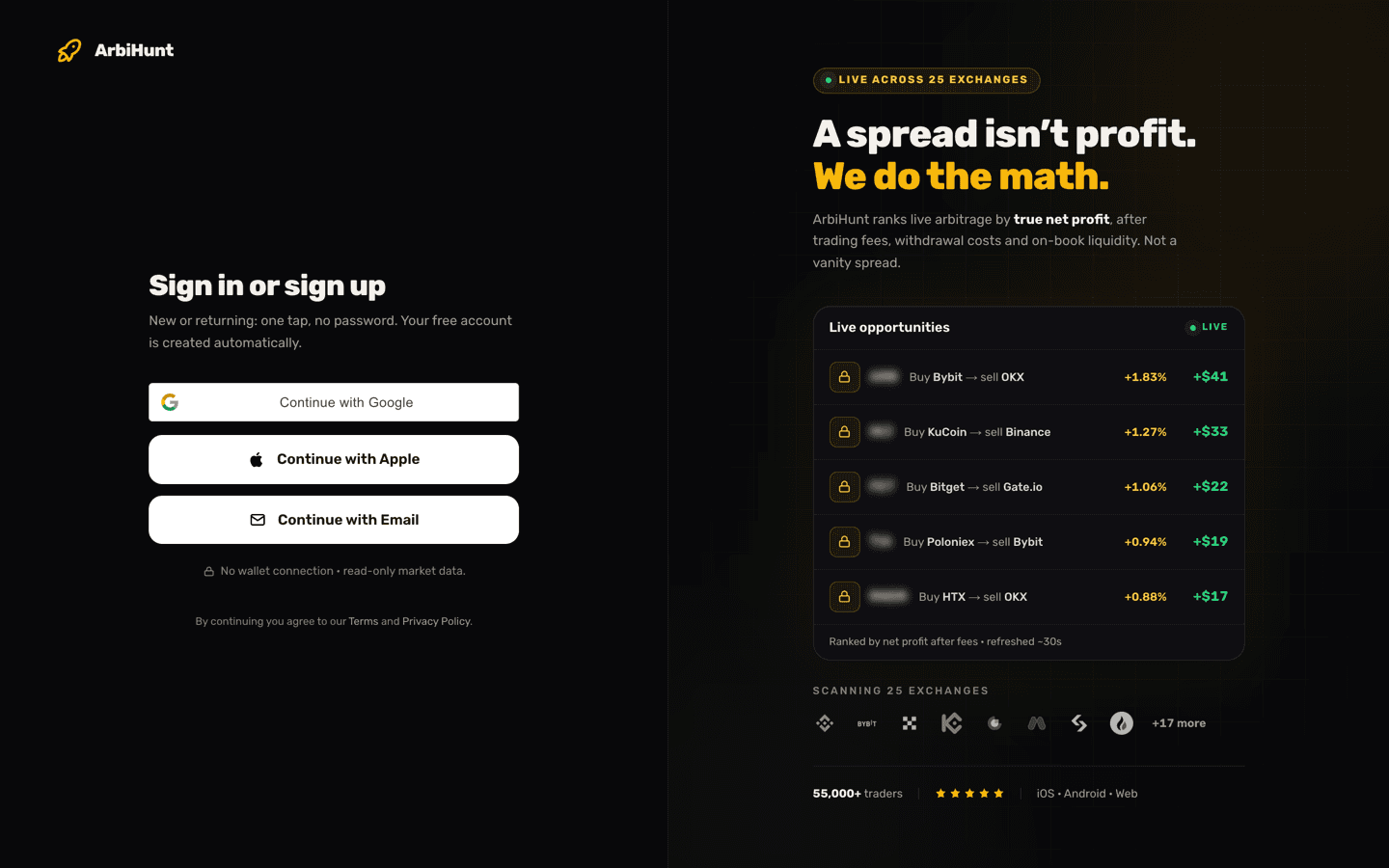
"I can't find KyberSwap on the App Store." We have heard this a lot since ArbiHunt started listing DEX trades, and the answer is that you do not need an app. KyberSwap is not an exchange like Binance or MEXC. It is a website that trades straight from your own crypto wallet.
So the only thing to set up is the wallet. It takes about ten minutes, and after that every DEX trade in ArbiHunt works the same way. This guide takes you from nothing to your first trade: what a DEX is, which wallet to use, how to put it on the right network, how to fund it, and exactly what to tap on KyberSwap. It walks through BNB Chain; Ethereum, Base and Arbitrum differ in only a few ways, and Solana uses a different wallet address and Jupiter instead of KyberSwap.
What a DEX is, and how it differs from an exchange
A centralized exchange (CEX) such as MEXC, Gate.io or Binance is a company. You open an account, deposit money into it, and the exchange holds your coins and matches your orders on its order book.
A decentralized exchange (DEX) is software that runs on a blockchain. There is no account and nothing to deposit. You connect your own wallet, and every trade is a transaction you sign yourself: your coins go from your wallet into a liquidity pool, and the coins you bought come straight back to your wallet. KyberSwap is a DEX aggregator: it checks prices across many pools and routes your trade through whichever pay the most.
| Centralized exchange (MEXC, Gate.io, Binance) | DEX aggregator (KyberSwap) | |
|---|---|---|
| Account | Sign up, usually with identity checks | None: you connect a wallet |
| Who holds your coins | The exchange | You, in your own wallet |
| Where you trade | The exchange's app or website | A website, opened in your wallet's browser |
| How the price is set | An order book of buy and sell orders | Liquidity pools, whose price moves as you trade |
| What you pay | Trading fee, plus a withdrawal fee | The pool's fee (inside the price), plus network gas (BNB on BNB Chain, ETH on Ethereum, Base and Arbitrum, SOL on Solana) |
ArbiHunt never touches your wallet
ArbiHunt shows you the route and opens KyberSwap with the trade filled in. It never connects to your wallet or your exchange accounts. Every transaction is one you approve yourself, in your own wallet.
What you need
- A wallet app on your phone. This guide uses MetaMask or Trust Wallet. Both are free.
- About 0.01 BNB in that wallet, to pay the network fee (gas) for swaps and for sending coins. A swap on BNB Chain costs around 2 to 3 cents today, so 0.01 BNB lasts for hundreds of trades.
- USDT on BNB Chain (BEP-20) in the wallet, but only if you are buying on the DEX side.
- An account at the exchange on the other side of the trade. See setting up your exchange accounts.
One naming note before you start. BNB Chain, BNB Smart Chain, BSC and BEP-20 are all the same network, and many ArbiHunt DEX trades run on it (the rest run on Ethereum, Base, Arbitrum or Solana, below). Each trade also names its network in its Network (your wallet) box, and that box is the one to follow. It is not opBNB, which some exchanges list as a separate option, and not the old BNB Beacon Chain (BEP-2), which shut down in November 2024.
Step 1: Install a wallet and write down its recovery phrase
Install the wallet from your phone's official app store only, by searching for it there or following the link on its official website (metamask.io or trustwallet.com). Fake wallet apps exist, and they are built to steal the recovery phrase the moment you create it.
MetaMask: open the app and choose Create a new wallet. You can protect it with a Secret Recovery Phrase, or with a Google or Apple login plus a password.
- If you choose the Secret Recovery Phrase, the app shows it to you during setup. Do not skip that step: write it down.
- If you choose Google or Apple, setup can finish without showing it, but your wallet still has one. Open Settings, then Security and privacy, tap Reveal Secret Recovery Phrase, and write it down. Without it, a forgotten password means MetaMask cannot restore your wallet.
Either way, the phrase is 12 English words.
Trust Wallet: choose Create a new wallet. If it asks which kind of wallet to create, choose the one with a secret phrase. It makes a 12-word phrase: write the words down on paper, in order (Trust Wallet blocks screenshots of them). The app can also save an encrypted copy to iCloud or Google Drive, protected by a password you choose. Treat that as an extra copy, not a replacement for the paper one.
The 12 words are the wallet
Anyone who has your recovery phrase can take everything in the wallet, and nobody can undo it or get it back for you: not MetaMask, not Trust Wallet, not ArbiHunt. Keep it on paper, offline. Never type it into a website, never send it to anyone, and treat anyone who asks for it, including a "support agent", as a scammer.
Step 2: Put your wallet on BNB Chain
MetaMask: BNB Chain is already in the app. If you do not see BNB in your networks, tap the network menu at the top of the Tokens tab, look under Additional networks, and tap + next to BNB Chain. There is no need to add it by hand with a custom RPC. MetaMask's own entry is simpler, and a custom RPC turns off MetaMask's Smart Transactions protection.
Trust Wallet: BNB Smart Chain is built in (it may show as Smart Chain or BSC). There is nothing to add.
Your wallet address is the long address that starts with 0x. It is the same address on BNB Chain as on Ethereum, which is exactly why the network you choose when sending coins matters so much (step 3).
- MetaMask: tap the copy icon on the home screen and choose the Ethereum (0x) address. MetaMask also lists Bitcoin, Solana and Tron addresses, and none of those will work here.
- Trust Wallet: tap Receive, search for BNB, choose BNB Smart Chain, and copy the address.
Check every address in full. Whenever you paste an address, compare all of it with the original, including the middle, not only the start and end: scammers create look-alike addresses that match at both ends. If anything differs, stop.
Step 3: Put a little BNB, and USDT if you need it, in the wallet
The simplest way is a withdrawal from an exchange you already use.
- On the exchange, start a withdrawal of BNB and paste your wallet's 0x address.
- For the network, choose the one called BSC, BEP20 or BNB Smart Chain (see the table below).
- Leave the memo or tag empty. BEP-20 does not use one.
- Send about 0.01 BNB. Some exchanges set a higher minimum (Bitget currently asks for at least 0.013 BNB), so check the amount on the withdrawal page.
- If you will buy on the DEX side, withdraw USDT the same way, on the same network.
| Exchange | What the network is called in the withdrawal menu |
|---|---|
| Binance | BSC, BNB Smart Chain (BEP20) |
| Gate.io | BNB Smart Chain (BEP20) |
| KuCoin | BEP20 |
| Bitget | BEP20 |
| MEXC | BNB Smart Chain (BEP20) |
| OKX | BNB Smart Chain |
| Bybit | BSC (BEP20) or BNB Smart Chain (BEP20) |
Exchanges rename these menus from time to time. Any of BSC, BEP20 or BNB Smart Chain is the right choice.
The wrong network sends coins to another chain
The usual mistakes are ERC20 (Ethereum), TRC20 (Tron) and opBNB. Sent to your own wallet, coins on the wrong network can usually be recovered by switching the wallet to that network. Sent to an exchange deposit address, recovery is slow and paid (Gate.io charges 20 USDT), and sometimes impossible. Also note that OKX does not currently accept USDT deposits on BSC. BNB is fine.
Two things that can hold up a withdrawal. Binance, OKX, MEXC and Bybit offer optional security settings (an address whitelist, or a lock on new addresses) that, when turned on, pause withdrawals to a new address for 24 hours or more. KuCoin and Bitget pause withdrawals for 24 hours after a password or two-factor change. Do this setup before you need it, not in the middle of a trade.
On BNB Chain itself a transfer takes seconds. The exchange's own processing is usually the slow part. See deposit and withdrawal times for what to expect.
On Ethereum, Base and Arbitrum
Some DEX trades run on Ethereum, Base or Arbitrum instead. The trade names its network on the route (for example "MEXC → Base") and in its Network (your wallet) box. Everything in this guide works the same way, with these differences:
| BNB Chain | Ethereum | Base | Arbitrum | |
|---|---|---|---|---|
| Gas is paid in | BNB | ETH | ETH on Base | ETH on Arbitrum |
| A swap's gas, roughly, today | 2 to 3 cents | 10 to 40 cents, more when the network is busy | 1 to 2 cents | 1 to 3 cents |
| What exchanges call the network | BSC, BEP20, BNB Smart Chain | ERC20, Ethereum (ERC20) | Base, sometimes Base Mainnet | Arbitrum One, ARB, ARBITRUM |
| The stablecoin these trades use | USDT (BEP-20) | USDT (ERC-20) | USDC on Base | USDT on Arbitrum |
| In your wallet | BNB Chain (Smart Chain in Trust Wallet) | Ethereum, the default | Base: add it from MetaMask's network menu like BNB Chain; built into Trust Wallet | Arbitrum One: add it the same way |
| Where to look up a transaction | BscScan | Etherscan | Basescan | Arbiscan |
- Your wallet address is the same 0x address on all four. Arbitrum One is not Arbitrum Nova, a separate network some exchanges also list. That is why the network you choose when withdrawing matters: the same address on the wrong network puts the coins on another chain.
- Gas comes from the network the trade is on. For an Ethereum trade, the wallet needs a little ETH on Ethereum; for a Base trade, a little ETH on Base. ETH on one of them cannot pay for the other. Withdraw it from an exchange on the matching network, as in step 3.
- On Base the stablecoin is USDC, the one Circle issues on Base, contract
0x833589fcd6edb6e08f4c7c32d4f71b54bda02913. Not USDbC, the older bridged version. On Ethereum it is ordinary USDT, contract0xdac17f958d2ee523a2206206994597c13d831ec7. - Deposits into an exchange take longer. Exchanges wait for more blocks on Ethereum and Base before they credit a deposit; MEXC's wait on Ethereum is about 19 minutes. ArbiHunt leaves out a route when the exchange takes more than 30 minutes to credit the deposit it needs, but a long wait is still time for the price to move.
- On Ethereum, gas is a bigger share of a small trade. The swap's gas is already inside ArbiHunt's profit; the approval and the send to the exchange are not (see what the trade costs).
On Solana
Solana DEX trades work the same way, with a different wallet address and a different swap site.
- The wallet. Use a wallet that supports Solana, such as Phantom, Solflare or Trust Wallet. A Solana address does not start with 0x: it is a longer string of letters and numbers, and it is a different address from your BNB Chain or Ethereum one. Withdraw to that address, on the exchange's SOL or Solana network.
- The fee. Network fees are paid in SOL and cost a fraction of a cent, but keep about 0.02 SOL in the wallet: receiving a token for the first time also sets aside a small deposit of SOL for it.
- The stablecoin is USDT on Solana, contract
Es9vMFrzaCERmJfrF4H2FYD4KCoNkY11McCe8BenwNYB. - The swap site is Jupiter, jup.ag, not KyberSwap. The trade's button reads Check on Jupiter and opens it with both coins and the amount filled in. Check the address bar says jup.ag before you connect. Jupiter's site is not available in every country.
- Contracts on Solana are called mints and are case-sensitive: compare every character, upper and lower case.
- Where to look up a transaction: Solscan.
Step 4: Open the trade in ArbiHunt
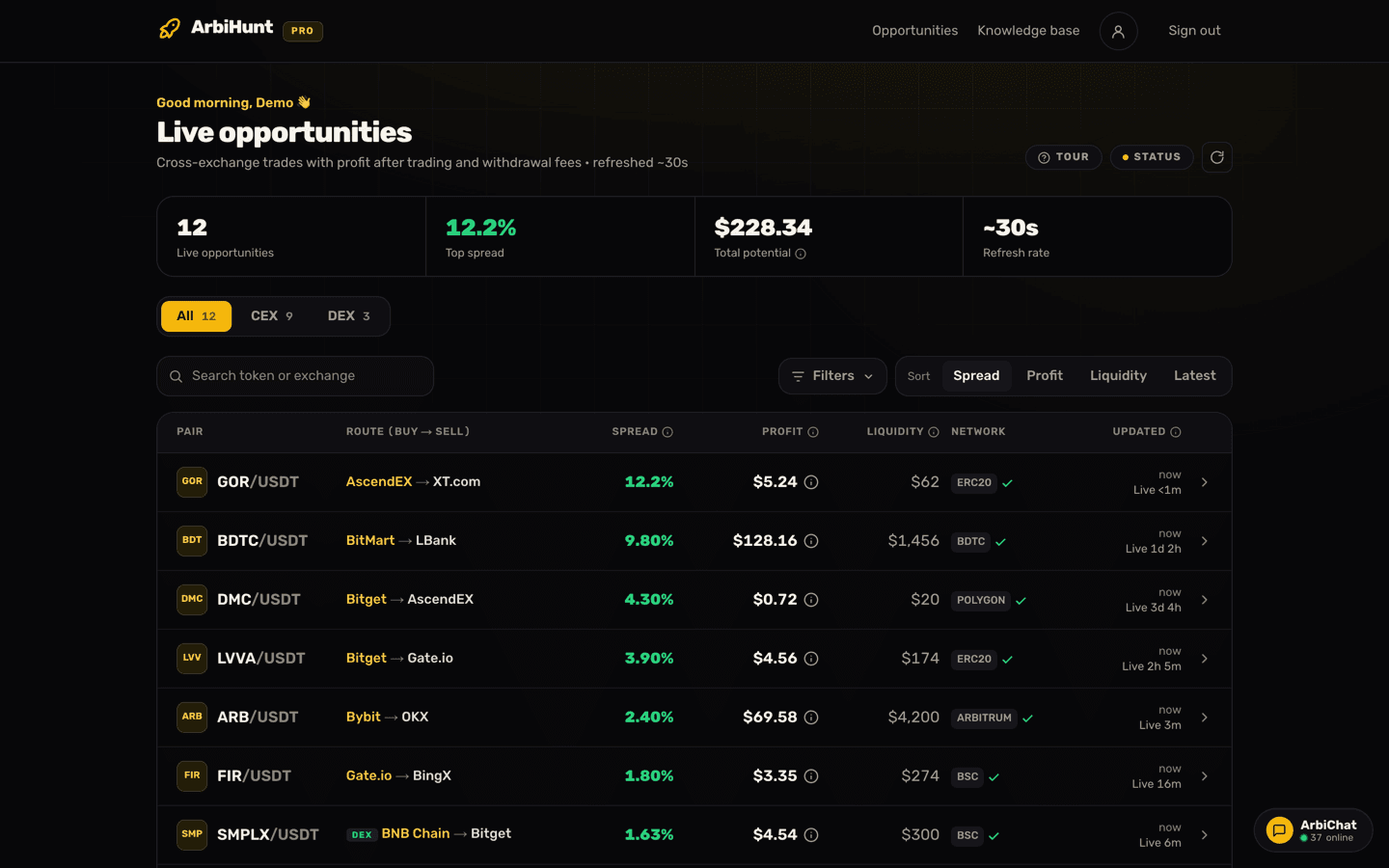
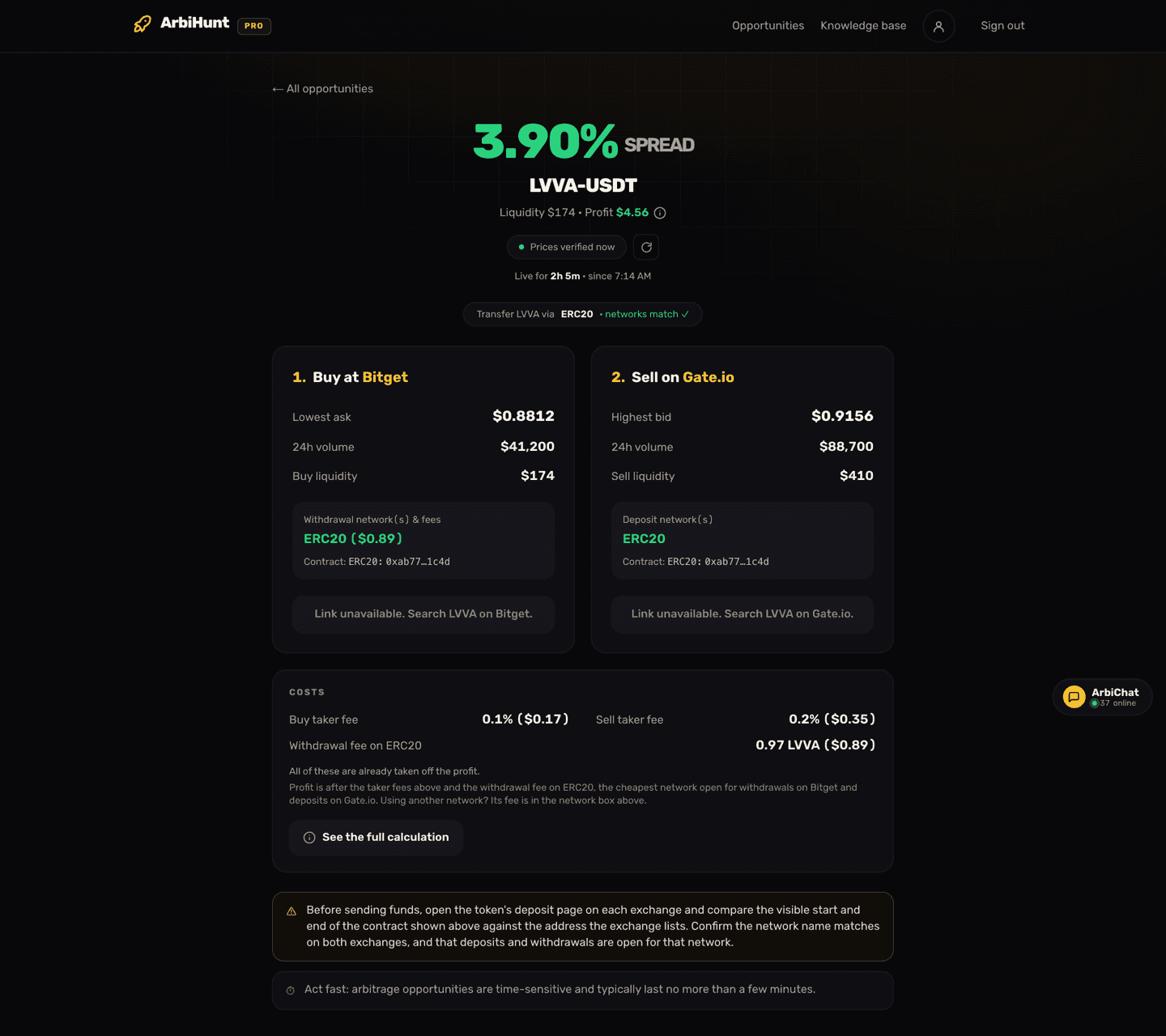
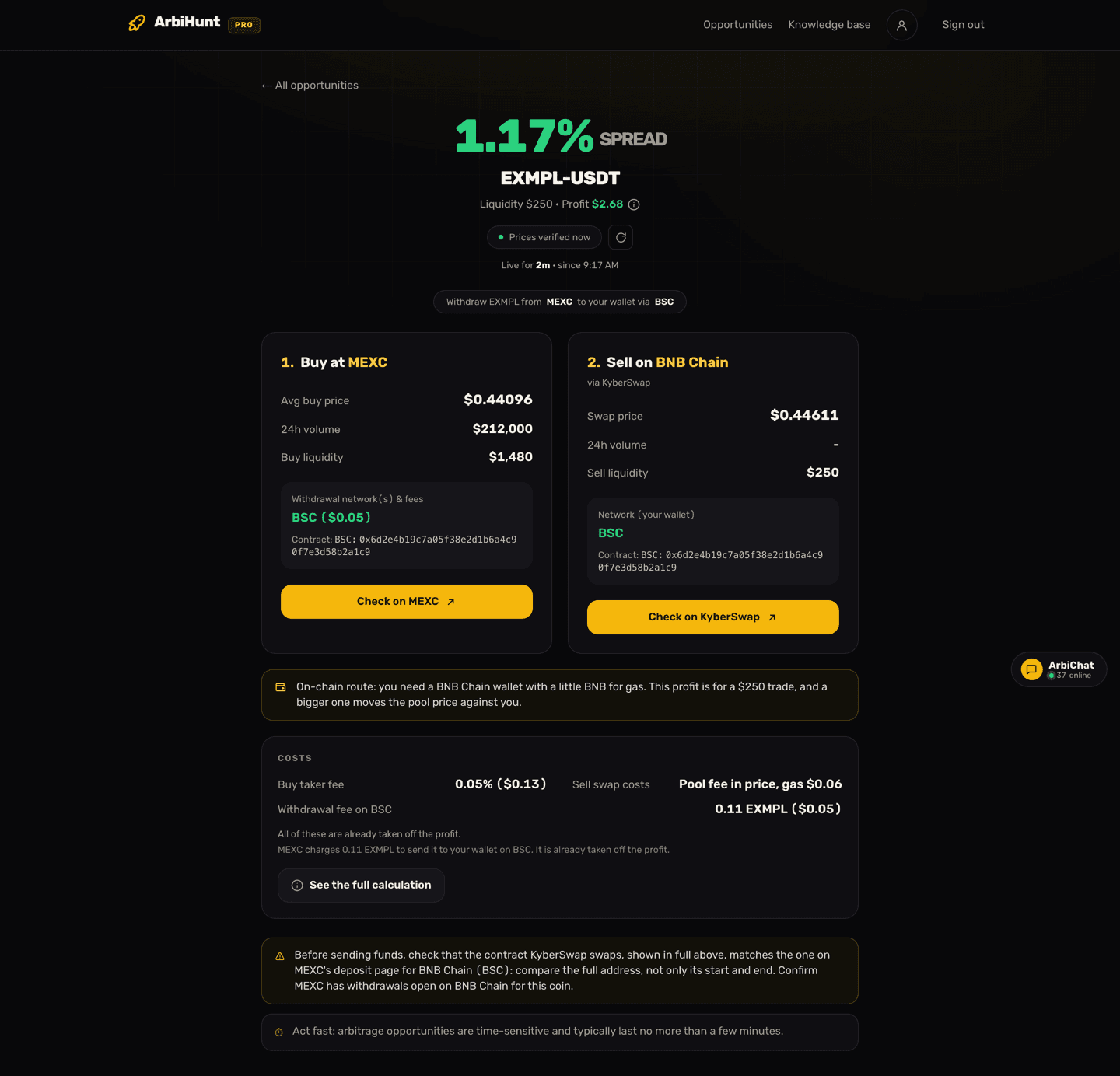
DEX trades carry a DEX badge on the dashboard and in the app, and one side of the route names the network: BNB Chain, Ethereum, Base, Arbitrum or Solana. They are free for everyone for now. Open one, and you get a screen like the one at the top of this page. (The coin in that screenshot, EXMPL, is invented, and so is its contract address.)
Here is what it tells you:
- The direction: "1. Buy at MEXC", "2. Sell on BNB Chain via KyberSwap", or the reverse.
- The trade size: the note under the two steps says how big the trade is, for example "This profit is for a $250 trade". In the app it is Capital. The profit, every price and the KyberSwap link are for exactly that size, and a bigger trade moves the pool price against you.
- Avg buy price / Avg sell price: the exchange's average price for the whole trade size, not just its best order. How to read an order book explains why.
- Swap price: KyberSwap's quote, from ArbiHunt's latest check, for exactly the amount its button opens with.
- Network (your wallet): the network your wallet must be on, and the one to use for every transfer in this trade: BSC for BNB Chain trades, ERC20 for Ethereum, BASE for Base, ARB for Arbitrum, SOL for Solana.
- Contract: the token's full address. Compare it, every character, with the contract shown on the exchange's deposit page for BSC. On the website, click the address to select it. In the app, tap Compare contracts and use the copy icon.
- The profit is after the exchange's taker fee, the pool's fee, the swap's gas and, when you buy on the exchange, the exchange's fee for withdrawing the coins to your wallet. The Costs card lists each of those and says they are already taken off; PRO members can tap the (i) beside the profit to see every step. It does not include the gas to send coins from your wallet to an exchange. If the withdrawal line reads "Not published, not deducted", the exchange gave no fee we could confirm: nothing was taken off, and you will hold fewer coins than the swap button opens with, so lower the amount by that fee.
- The spread: the big percentage at the top, the gap between the two prices for this one trade size, before any of those fees.
DEX trades are re-priced every 30 seconds and leave the list once their profit falls below ArbiHunt's minimum, or once they would lose money after the withdrawal fee. So a trade that disappears may still pay a little, and one that is still listed may have moved since its last check. The freshness line ("Prices verified 9s ago" on the website, "Verified 9s ago" in the app) tells you how old the numbers are.
The two kinds of DEX trade, in order
Buy on the exchange, sell on BNB Chain (the route reads "MEXC → BNB Chain"):
- Check before you buy. On the exchange, open this coin's withdrawal page, choose BSC (BEP20), and check that withdrawals are open and that the trade size is above the minimum withdrawal. Then open its deposit page for BSC and compare the contract with ArbiHunt's, every character. If any check fails, skip the trade.
- Open the swap before you buy. Tap Check on KyberSwap and open that page in your wallet's browser (step 5), then leave it open. It cannot swap until your coins arrive, but it keeps working if the trade drops out of ArbiHunt while they are on the way, which it can: on the website the page then says the opportunity is no longer live and the button goes with it, and the app keeps the last screen only while you leave it open. If the trade has already gone when you tap, do not buy.
- Buy the trade size on the exchange, for example $250 worth. A different amount gets a different price. For your first trade, buy a small test amount instead, still above the minimum withdrawal.
- Withdraw the coin to your wallet's 0x address on BSC (BEP-20).
- When it arrives, sell it for USDT on that KyberSwap page (step 6). The link filled in the tokens a trade of the listed size leaves you with, at ArbiHunt's latest check: the coins that size buys, less the exchange's taker fee and withdrawal fee. If your wallet received a different amount, change the amount to what you actually hold.
- If selling now would lose money, because KyberSwap offers less than you paid on the exchange plus the withdrawal fee, you do not have to sell. The coins can stay in your wallet, though their price keeps moving while you wait, or you can send them back to the exchange (under a cent in BNB, above its minimum deposit) and sell them there. Decide which you would do before you withdraw.
Buy on BNB Chain, sell on the exchange (the route reads "BNB Chain → MEXC"):
- Check before you spend. On the exchange, open this coin's deposit page, choose BSC (BEP20), check that deposits are open, note the minimum deposit, and compare the contract with ArbiHunt's, every character. If any check fails, skip the trade.
- Make sure your wallet holds the trade size in USDT (BEP-20), plus BNB for gas.
- Buy the coin: tap Check on KyberSwap and swap USDT for the coin (steps 5 and 6).
- Send the coin to the exchange. Copy your deposit address for this coin on BSC fresh from the exchange's deposit page, every time. Never copy it from your wallet's activity or recent addresses, where scammers plant look-alikes by sending you tiny transfers. In your wallet tap Send, choose the coin on BNB Chain (BNB Smart Chain in Trust Wallet), paste the address, check it in full, enter an amount above the exchange's minimum deposit, and confirm. The gas costs under a cent in BNB.
- Sell it on the exchange once the deposit is credited.
Step 5: Open KyberSwap and connect your wallet
Check on KyberSwap opens KyberSwap in your phone's browser with the trade already filled in: the right coins, the right direction, the right amount.
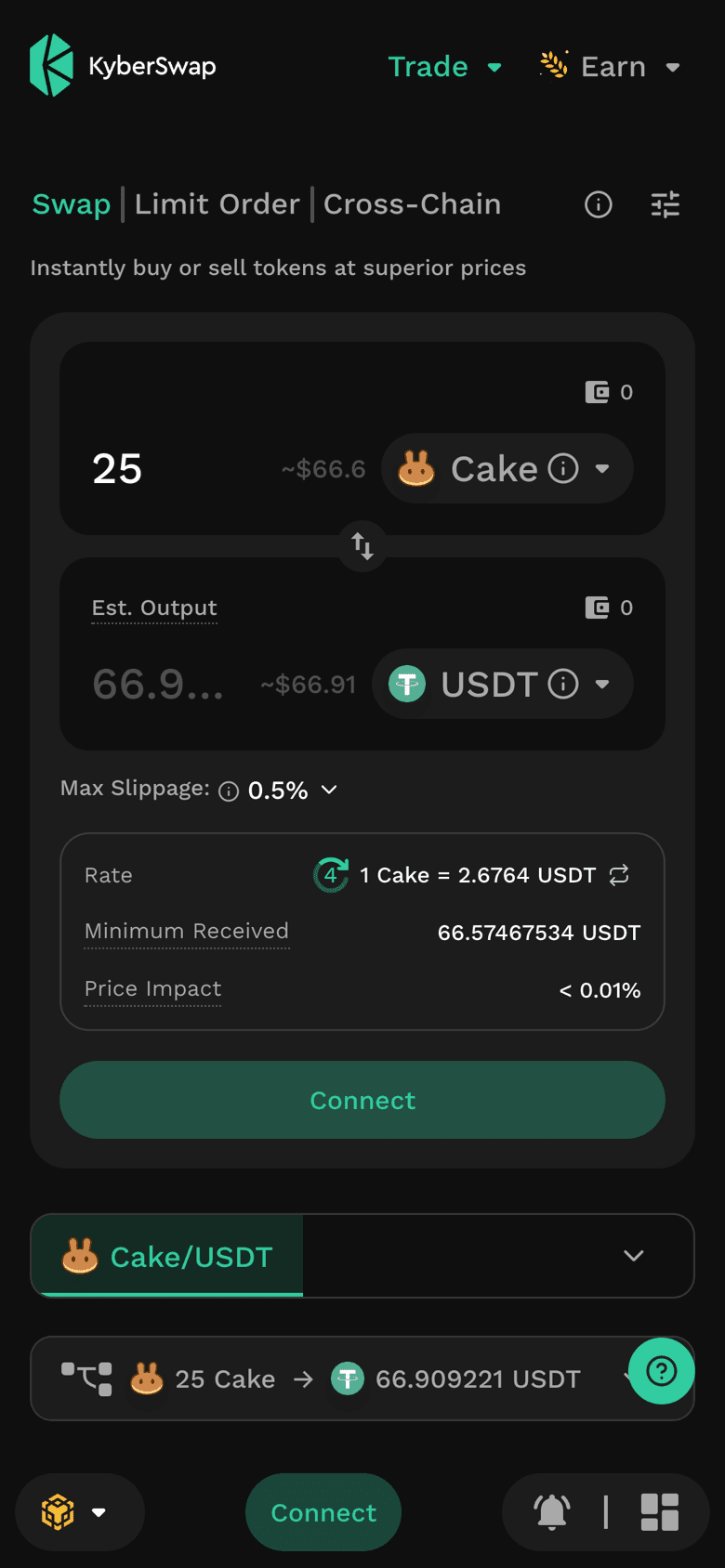
Wallets connect most reliably from their own built-in browser, so there are two ways to go on:
- The reliable way: copy the page address from your phone browser's address bar and paste it into your wallet's browser. In MetaMask that is the Explore tab at the bottom. In Trust Wallet it is the dApp browser (its tab is named Browser or Discover, depending on the version).
- The quick way: tap Connect on KyberSwap and choose MetaMask, or WalletConnect and then your wallet from its list. Your wallet app opens and asks you to approve the connection.
Before you connect, check the address bar says kyberswap.com. Scammers pay for search ads that lead to fake KyberSwap sites. As soon as you connect, those ask you to approve or sign something, and that empties the wallet. Always arrive from ArbiHunt's button or a bookmark, never from a search result.
Then:
- Tap Connect.
- Tick the box accepting KyberSwap's Terms of Use. The wallet buttons stay grey until you do.
- Choose your wallet, and approve the connection in the wallet.
- Check the network. On a phone, KyberSwap shows it only as a logo at the bottom left, with no name next to it: for BNB Chain it is the yellow BNB logo. If you see a different logo, tap it and choose BNB Chain. If your wallet asks to switch network, accept.
Connecting only shares your address. What can move your coins is a transaction or a signature you approve after that, so read every prompt your wallet shows. On KyberSwap the only ones to expect are the approval (or permit signature) for the token you are selling, and the swap itself. Reject anything else.
Step 6: Approve and swap
For your first trade, use a small amount. If you bought on the exchange, set KyberSwap to what actually arrived in your wallet. If you are buying on BNB Chain, change the amount on KyberSwap before you swap, because it opens at the full size ArbiHunt priced. Either way, expect a result different from ArbiHunt's profit, which is worked out for the full size. If you then send coins to an exchange, keep the amount above its minimum deposit: a deposit below it may never be credited.
Check that the two coins and the amount are the ones you meant. Then:
- Approve the token. The first time you sell a particular token from this wallet, KyberSwap asks you to approve it. This is a small transaction that lets KyberSwap's router move that one token out of your wallet, and it costs under a cent in BNB. (Some tokens use a free signature, called a permit, instead.) USDT on BNB Chain always needs the paid approval. In your wallet's prompt:
- check that the address you are approving (the "spender") is KyberSwap's router,
0x6131B5fae19EA4f9D964eAc0408E4408b66337b5(the same address on BNB Chain, Ethereum, Base and Arbitrum); - you can set the limit to the amount you are trading instead of an unlimited approval. That is safer, but the trade uses the limit up, so KyberSwap asks you to approve again each time you sell that token. That repeat prompt is expected: check the spender again each time.
- check that the address you are approving (the "spender") is KyberSwap's router,
- Set Max Slippage below the trade's profit. Work out the profit as a share of the trade size, from the dollar profit rather than the big spread figure; the profit is already after the withdrawal fee. For example, $2.68 on a $250 trade is about 1.07%, and many DEX trades pay much less, so the 0.1% preset (or a Custom value below your profit) is usually right. A higher setting, including 0.5%, can let the price move far enough to turn the trade into a loss. If the price moves past Minimum Received before your transaction goes through, the swap cancels itself and you lose only the gas, about 2 cents, and can try again.
- Tap Swap, then Confirm Swap. KyberSwap first shows a Confirm Swap Details window with the final amount, Minimum Received and the gas fee. Check it still pays: when you sell, the USDT you get must be more than you spent on the exchange (the withdrawal fee already came out of your coins); when you buy, it should be close to what KyberSwap showed when you opened the link. On a trade paying under 1%, even a small drop wipes out the profit. If the price has fallen by more than 1% since the quote, you must tap Accept New Amount first. Then tap Confirm Swap and approve the transaction when your wallet opens.
- Wait a few seconds for the confirmation. The new coins land in your wallet.
If a coin does not show up in your wallet, add it by its contract address, the one on the ArbiHunt screen. In MetaMask: on the Tokens tab tap +, tap the network box at the top of the screen and pick BNB Chain (it may start on Ethereum), open Custom token, paste the address, then tap Next and Import. In Trust Wallet: the + or search icon, choose BNB Smart Chain, paste the address.
KyberSwap charges no fee of its own on swaps made on kyberswap.com. The pool's fee is already inside the price, and the gas is paid in BNB. If the price moves in your favour after you confirm, KyberSwap keeps the part above its estimate. You always get at least Minimum Received.
What the trade costs
| Cost | Roughly, today | Inside ArbiHunt's profit? |
|---|---|---|
| Exchange taker fee | 0.05% to 0.3% | Yes |
| The pool's fee | Built into the swap price | Yes |
| Swap gas | About 2 to 3 cents in BNB | Yes |
| Approving a token (once, or before every sale with an exact limit) | Under 1 cent in BNB | No |
| Exchange withdrawal fee, when you buy on the exchange | Shown in the network box and on the Costs card | Yes, unless it reads "not deducted" |
| Sending coins from your wallet to an exchange | Under 1 cent in BNB | No |
When you buy on BNB Chain and sell on the exchange, no exchange withdrawal happens at all: the Costs card reads "None on this route", and only the few cents of gas to send the coins to the exchange are left out. See withdrawal fees explained for how the withdrawal fee changes with the network, where it shows on the opportunity screen, and what happens when an exchange publishes none.
Stay safe
- Only use kyberswap.com, opened from ArbiHunt's button or your own bookmark.
- Read every wallet prompt before you approve or sign it. On KyberSwap, expect only the token approval (or permit) and the swap.
- Never share your recovery phrase. No real support agent will ask for it, and nobody legitimate offers help in your private messages.
- Compare addresses and contracts in full, and copy exchange deposit addresses fresh from the exchange every time.
- Start small. Make your first transfer and your first swap with a small amount.
- Keep only what you are trading in this wallet.
- Clear old approvals you no longer need, with revoke.cash or BscScan's token approval checker. Removing an approval is itself a small transaction, so it costs a little BNB.
Common questions
Is KyberSwap safe to use?
KyberSwap has had two incidents worth knowing about. In November 2023, KyberSwap's Elastic liquidity pools were exploited for about $56 million. Elastic was shut down the next day, and the aggregator that ArbiHunt links to was not affected. In September 2022, KyberSwap's website itself was tampered with to slip fake approvals to a few large wallets, and Kyber repaid the losses. That is why checking the spender address before you approve matters. As with anything on-chain, keep only what you are trading in the wallet.
Do I need an account or to verify my identity?
No. KyberSwap has no accounts and no identity checks. Your wallet is your login.
Why does KyberSwap show a slightly different amount from ArbiHunt?
Prices move all the time. ArbiHunt re-prices DEX trades every 30 seconds, and KyberSwap refreshes its quote about every 10. Always check the live amount on KyberSwap before you confirm. Open the trade from ArbiHunt's button, too: it fills in the exact size ArbiHunt priced, and a different amount gets a different price.
Can I use a wallet other than MetaMask or Trust Wallet?
Yes, any wallet that supports BNB Chain and can connect to websites works, for example Binance Wallet, Bitget Wallet, Rabby or Coinbase Wallet. On a phone, KyberSwap's buttons for some of these open the wallet's download page if it is not installed yet.
Is USDT on BNB Chain the same as USDT on Tron or Ethereum?
Not quite. USDT on BNB Chain is issued by Binance rather than by Tether, backed by USDT that Binance holds. Exchanges treat it as ordinary USDT when you deposit or withdraw with the BSC or BEP20 option, and your wallet shows it as USDT, though BscScan calls it Binance-Peg BSC-USD. Only this version works for these trades. Its contract on BNB Chain is 0x55d398326f99059ff775485246999027b3197955.
Keep reading
- Types of crypto arbitrage, including DEX-CEX trades
- Choosing the right network
- How to execute an arbitrage trade, step by step
See it live
ArbiHunt scans 26 exchanges in real time and ranks every spread by true net profit, after fees, withdrawals and live liquidity.