Cross-exchange arbitrage has a simple shape: buy a coin where it is cheap, move it, sell it where it is dear. Almost everything expensive happens in the gaps between those three verbs, so most of this guide is the checks that come before your first order, plus the part nobody writes down: what to do when a leg misbehaves.
One thing to be clear about first. ArbiHunt places no trades and holds no funds. It reads public order books, ranks what it finds, and shows you the route. It never connects to your exchange accounts and never asks for an API key. Every order and every withdrawal below is one you place yourself.
What ArbiHunt is
A scanner, not a broker. Whether the trade is worth doing, and at what size, is your call and your risk.
Four checks before you place a single order
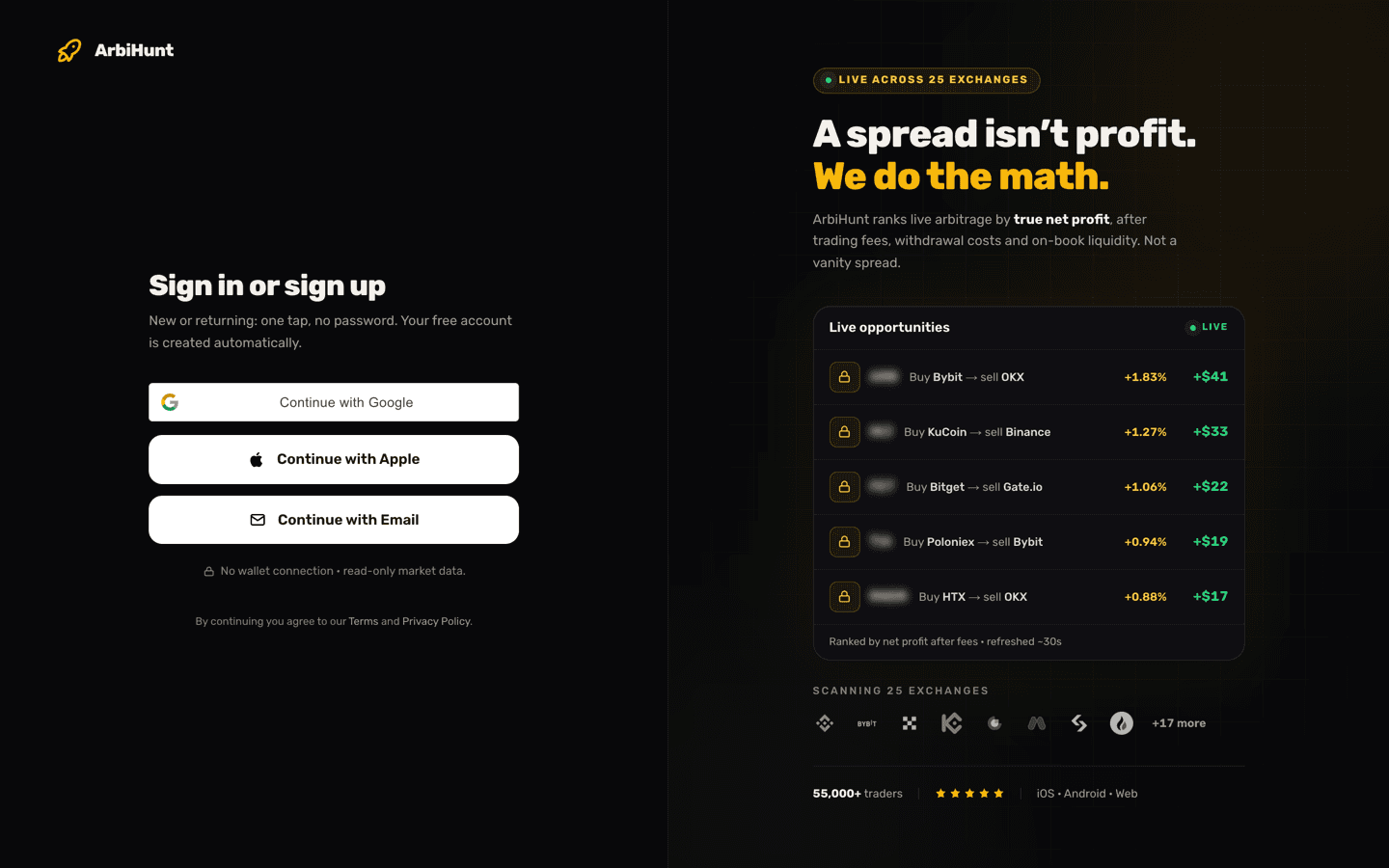
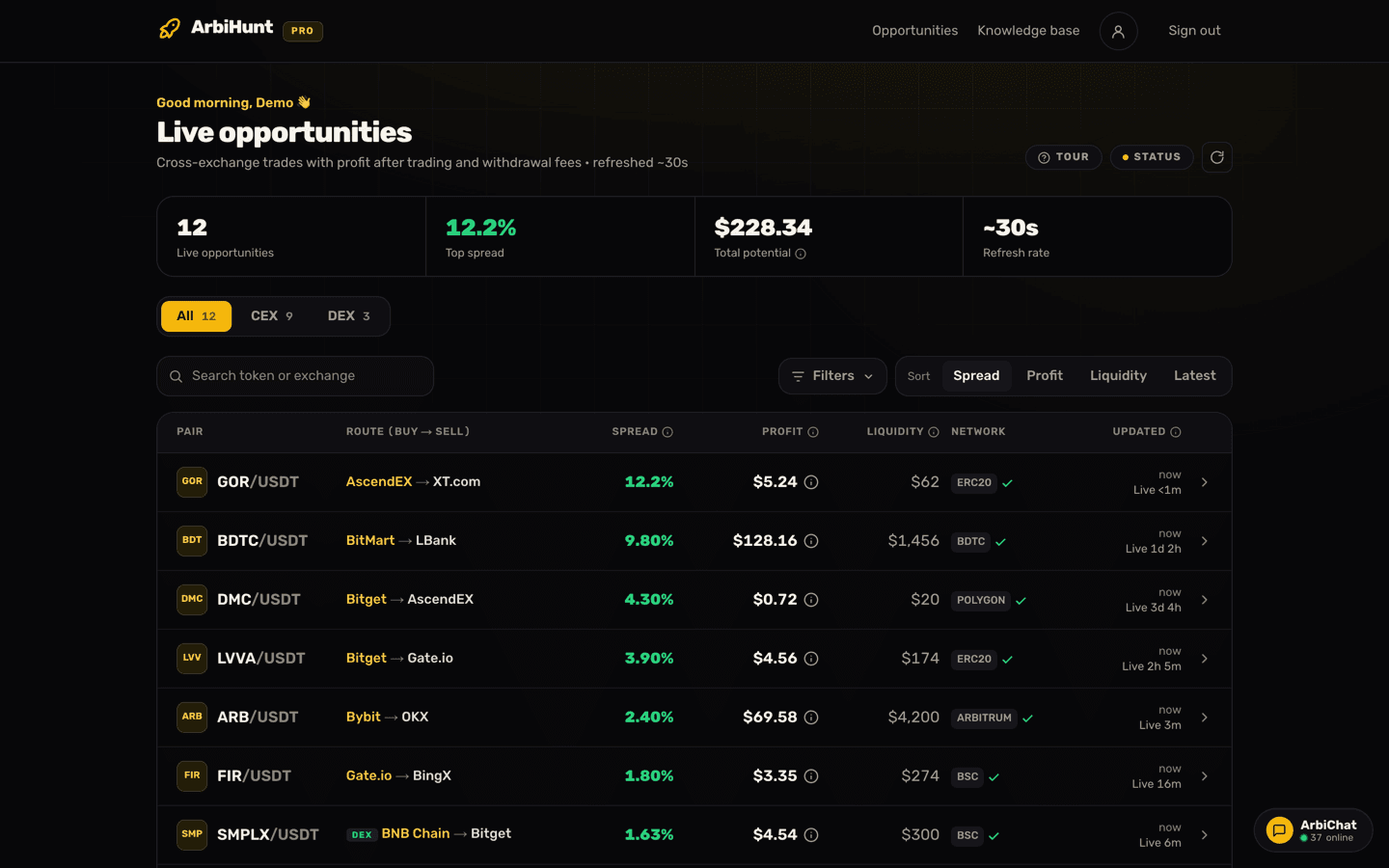
Open a row on the dashboard and you get the opportunity detail screen: both legs, the transfer network, the fee stack. Free accounts get the full detail on any row under a 2% spread; at 2% and above the row is PRO, and a free account still sees the real spread, route, liquidity and network with the coin name blurred.
Run these four checks in order. Each is cheap. Skipping one is not.
1. Is it the same asset on both exchanges?
A ticker is not an identity. The same three letters can be a migrated token on one venue, a wrapped version on another, and something entirely unrelated on a third. Send the wrong asset and it does not arrive; it just leaves.
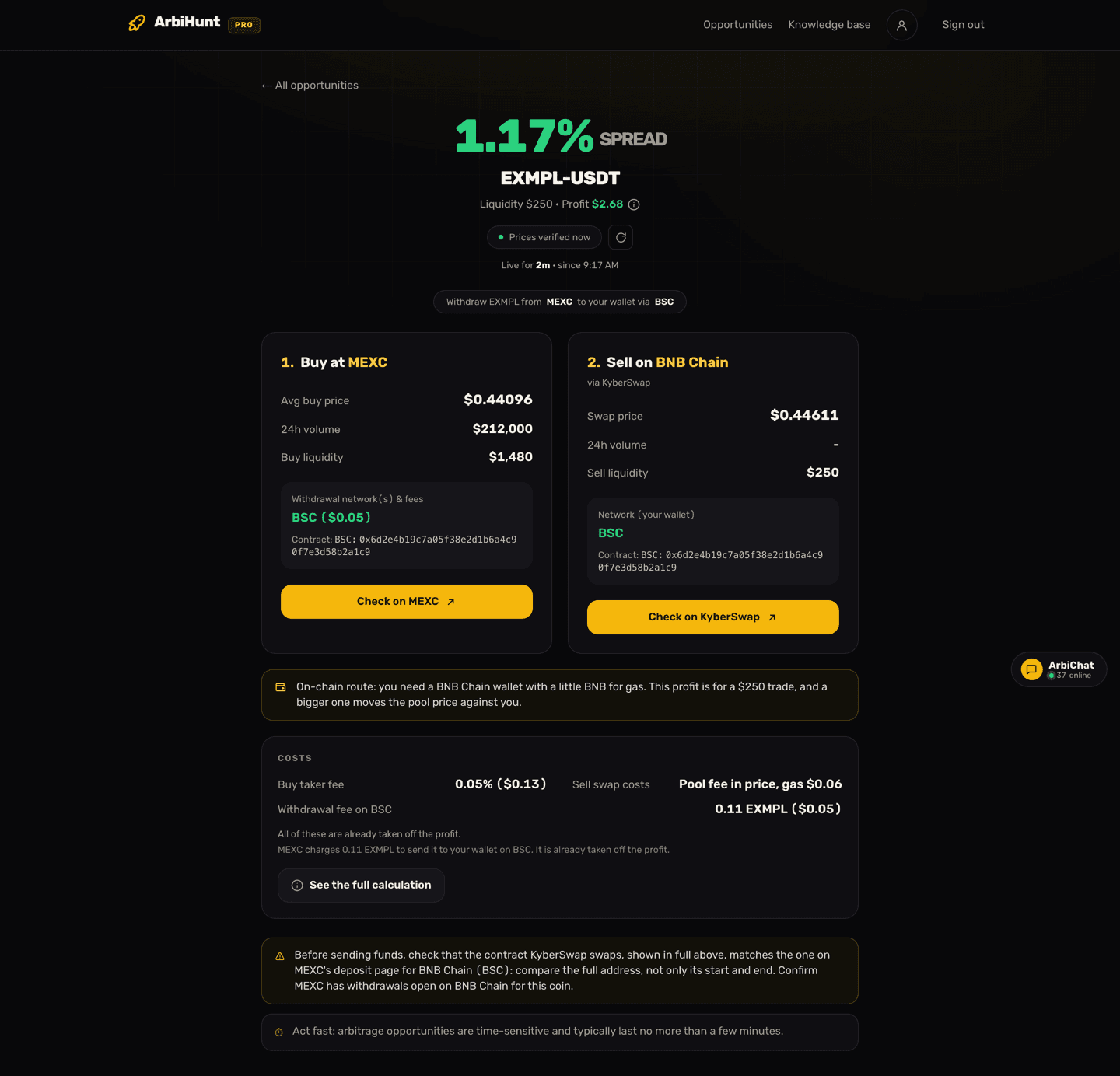
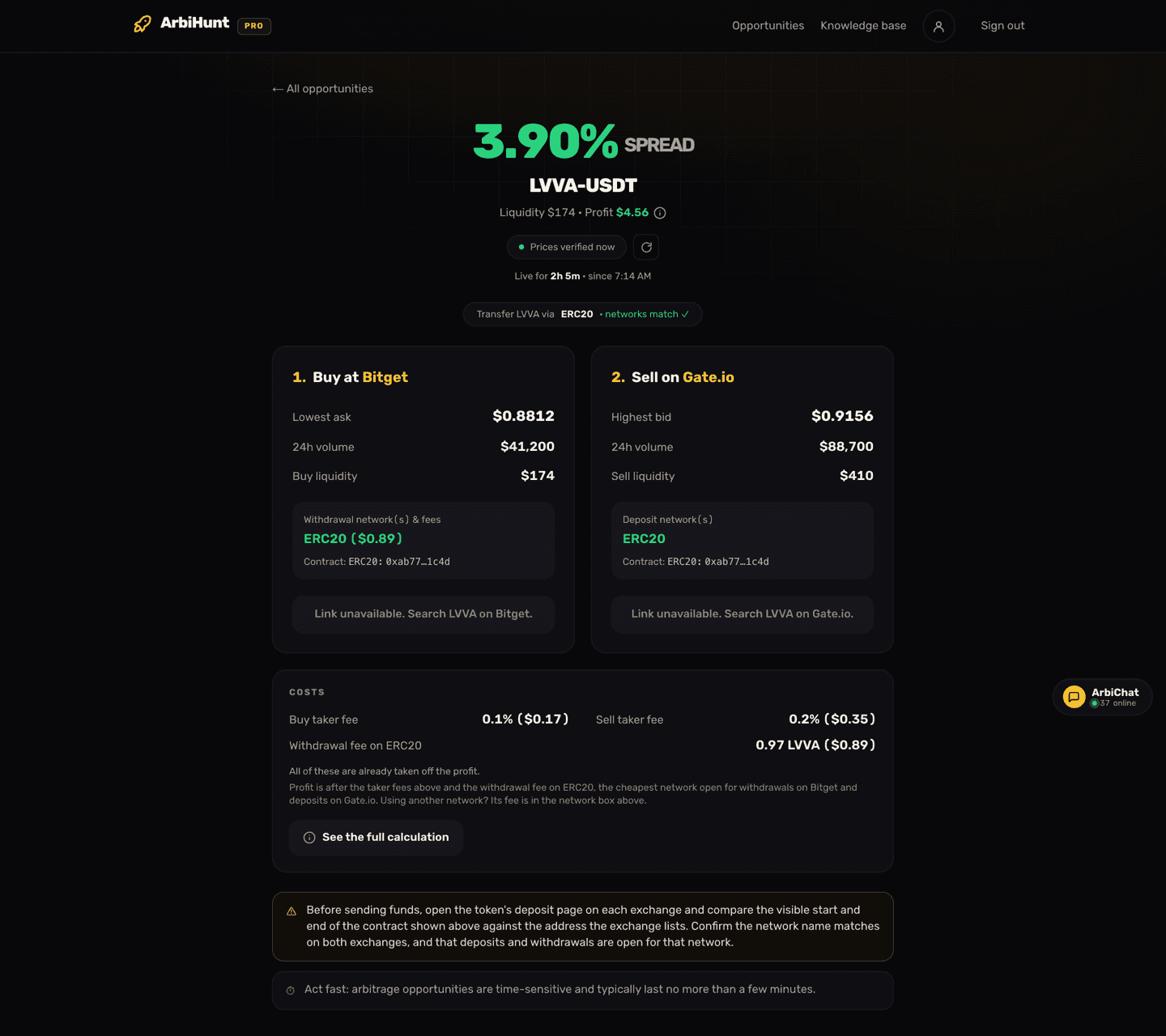
The detail screen shows the contract address per exchange: the withdrawal contract on the buy leg, the deposit contract on the sell leg. Contracts are a PRO feature and render masked, the start and end of the address rather than the whole string. That is deliberate: you are meant to open the token's deposit page on each exchange and check those characters against what the exchange lists. Some rows carry a "Check on exchange" placeholder instead, which asks for the same thing.
Same ticker is not the same coin
Compare the contract on both exchanges before anything moves. If they do not match, it is not the same asset and the trade is dead.
2. Is the route open in both directions?
Two separate permissions have to be true at the same moment:
- Withdrawals are open for that coin, on that network, on the buy exchange.
- Deposits are open for that coin, on that same network, on the sell exchange.
Either can close for maintenance, a wallet upgrade or a risk decision, and exchanges rarely announce it loudly. The detail screen lists the withdrawal networks and their fee on the buy leg, the deposit networks on the sell leg, and a "networks match" tick when both venues share one. Treat that as a strong hint, then confirm inside both exchanges: it is a snapshot, and permissions change between snapshots.
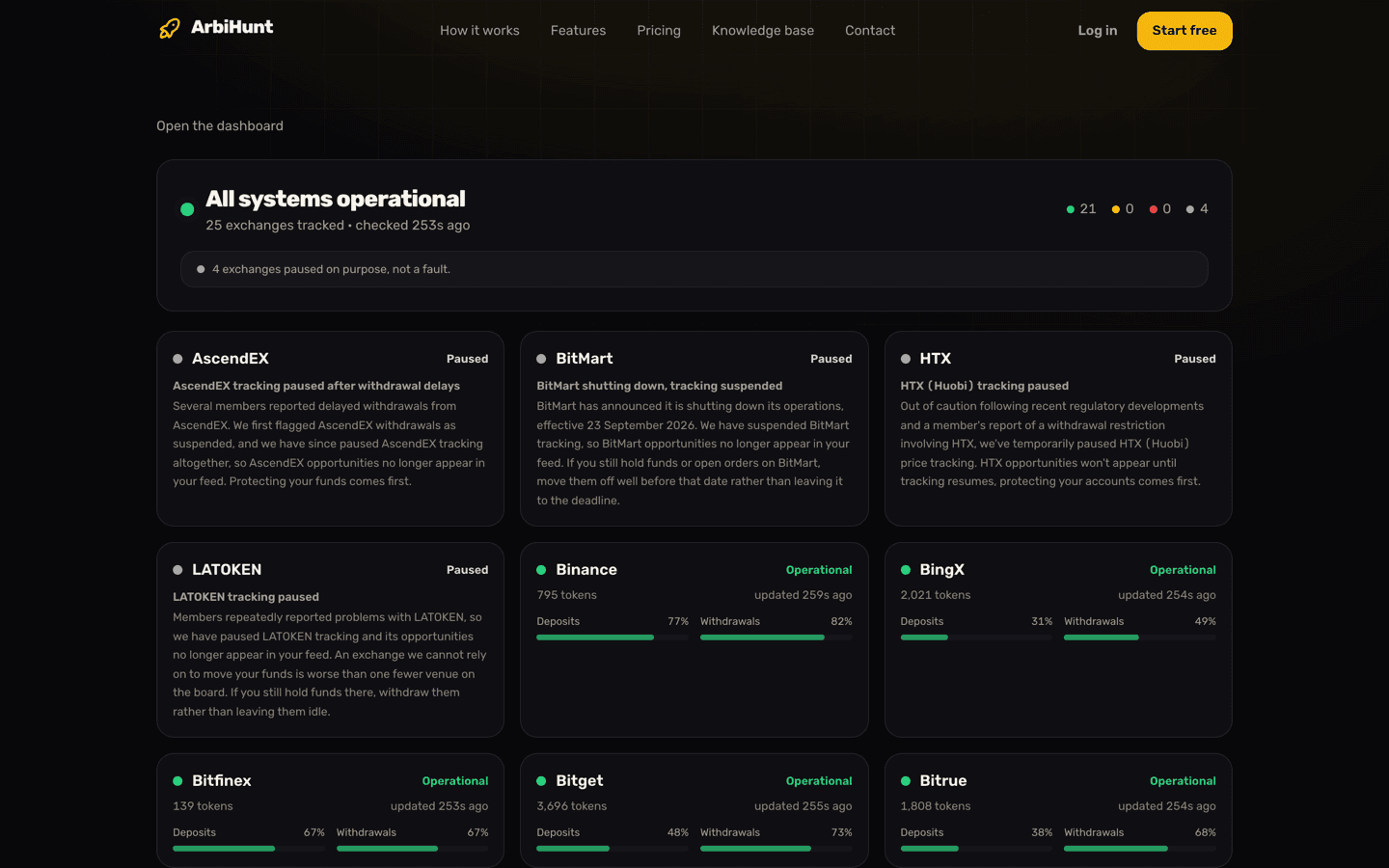
Two states are worth a glance. Paused means ArbiHunt stopped tracking that venue on purpose, usually after members reported withdrawal problems, and its opportunities leave the feed entirely. Withdrawals suspended means prices are still live but buying there to move funds out is exactly the trade to avoid. Neither is visible from a price alone.
3. Is there enough depth for the size you want to trade?
A spread is only real for as much money as the book holds behind it. The board's Liquidity column, and the per-leg Buy liquidity and Sell liquidity on the detail screen, are dollars of depth, not a rating. The thinner of the two legs caps your trade, because you have to get in and out.
Size past that depth and you walk the book: each fill lands at a worse price, and the slippage comes straight out of the gap you were trying to capture. A huge spread on a $20 book is not a big opportunity. It is a $20 opportunity, and no amount of capital changes that.
4. Will the spread still be there when the coins land?
This is the check people skip, and it is the one that decides the trade. Between your buy and your sell, your funds are in transit and nobody is holding the price for you.
The detail screen carries the honest version: opportunities are time-sensitive and typically last no more than a few minutes. The Live time on a row is how long the gap has held so far, not how long it has left, and a withdrawal plus a deposit confirmation can run to an hour or more on a slow chain at a busy hour. So put a number on it before you send: how long will this transfer take, and are you willing to own this coin if the gap is gone when it lands? If the answer is no, this is a pre-funded trade or it is no trade. Deposit and withdrawal times covers both clocks.
What the numbers actually look like on a thin book
Work a route with the shape most rows have. Lowest ask on the buy venue $0.2000, highest bid on the sell venue $0.2070: a 3.5% gap. Taker fee 0.1% on each side, and the shared network charges $0.02 to withdraw. Sell-side liquidity is $22, so $22 is what this route can absorb.
- $22 buys about 110 tokens after the 0.1% taker fee.
- Selling them at $0.2070 returns $22.75, less the 0.1% sell fee: $22.72.
- Less the $0.02 withdrawal fee, you get $22.70 back against $22 in.
Take-home: about $0.70, or 3.2% of the $22. Nothing went wrong. That is just the fee stack, and it is why spread and net profit are different numbers. It is also the arithmetic ArbiHunt does before it lists a row: this one would show its 3.5% spread beside a profit of about $0.70, with both taker fees and the withdrawal fee already taken off.
Now change one input. Suppose the shared network had been ERC-20 with a $1.50 withdrawal fee instead of $0.02. Same prices, same size: $22.72 out, minus $1.50, minus your $22 stake, and you have lost $0.78. At $22 of size you would need a gross spread of about 7% just to break even on that fee, and to make a 3.5% spread pay at all you would need roughly $46 of depth. The book holds $22. That version of the route never reaches the board: a trade that loses money after the withdrawal fee is not listed. The same arithmetic still matters to you, though, whenever you trade smaller than the row, or send on a pricier network than the one it names.
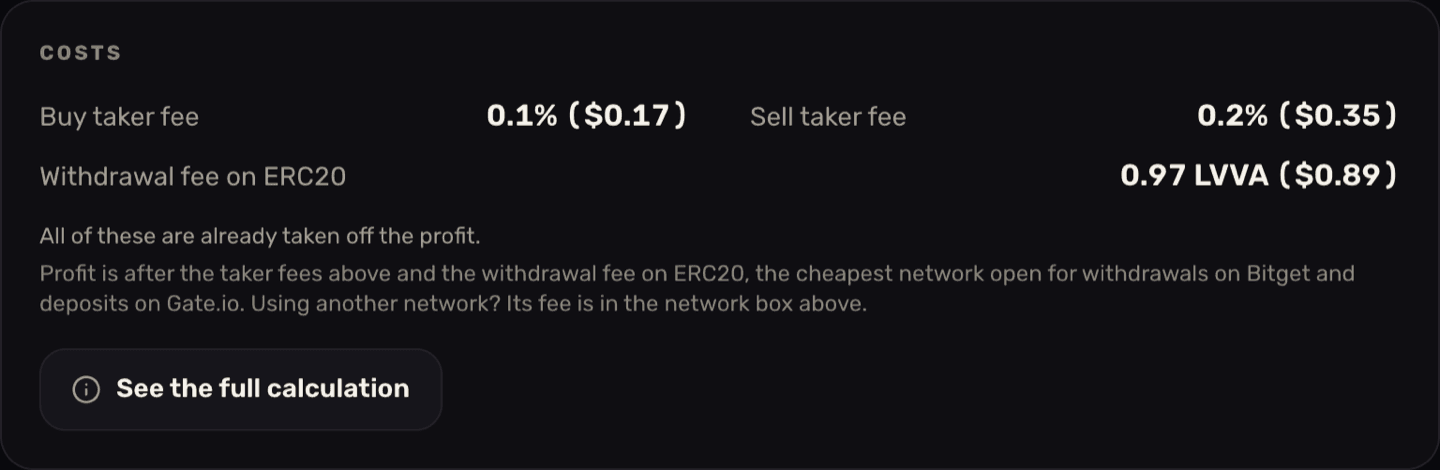
In plain terms: the profit on the board is after the taker fee on both legs, the depth actually on the book, and the withdrawal fee on the network the card names, the cheapest one open for withdrawals on the buy exchange and deposits on the sell exchange. PRO members can open the full calculation from the card or from the (i) beside the profit. Two things are still yours to check. If you will send on a different network, its fee is in the buy leg's network box: swap it in. And if the withdrawal line reads "Not published, not deducted", the exchange gave no fee we could confirm, so nothing was taken off: look it up and subtract it yourself. The free arbitrage calculator reworks the whole stack at your own size, breakeven spread included.
Every field this guide checks, on one screen
The opportunity detail shows both legs at executable order-book prices, the transfer networks and their fees, both taker fees and the withdrawal fee in the profit, and for PRO members the full calculation and the contract address per exchange.
Placing the trade
Checks done, the mechanical part is short.
Buy on the cheaper exchange. Each leg card has a button straight to that pair ("Check on Bitget", "Check on Gate.io"); where no deep link exists it names the token to search for instead. A market order fills now at whatever the book gives you; a limit at the ask gives you the price and no guarantee of a fill, the better trade on a thin book. Size to the thinner leg from check 3.
Withdraw to the sell exchange. Select the network on the receiving exchange first, copy its deposit address, then match that exact network on the withdrawal screen. Some coins need a memo or tag as well; if the receiving exchange shows one it is not optional. On a route you have not used before, send a small test amount and wait for it to credit. The extra withdrawal fee is cheap tuition.
Sell on the other exchange. When the deposit credits, re-check the bid. It will not be the number you saw earlier, and the difference is the real outcome of the trade. The detail screen helps: a live "Prices verified Xs ago" chip that auto-refreshes about every 30 seconds and turns amber once the prices are more than a minute old.
For a field-by-field tour of that screen, see Understanding the opportunity details.
When it goes wrong
Three common endings, and what each asks of you.
The coins arrived and the gap had closed
The normal failure, not a rare one. You are holding an altcoin on an exchange with no edge left. Three options: sell into the current bid and take the smaller gain or the small loss; look for a live route out of the venue you are now sitting on; or hold and wait for the spread to return, which quietly turns an arbitrage into a directional bet on a thin token. All three are defensible; pretending the third is still arbitrage is not. Decide which one before you send, because deciding while holding is how a small loss becomes a large one.
Deposits were suspended while your funds were in transit
The transaction is on-chain and not lost; what has stopped is the exchange crediting it. Do not send more to the same address hoping to unstick it. Keep the transaction hash, open a ticket with the receiving exchange, and expect the credit when they reopen that coin or network, which can take hours or much longer. Check /status too: if ArbiHunt has flagged that venue, the reason is on its card.
You sent on a network the receiving exchange does not support
This one has no good ending. Recovery depends on whether the receiving exchange can reach that chain and is willing to help, and often it cannot. There is no recovery step, only check 2, done properly, on both sides, every time. Choosing the right network covers picking among the shared options.
The version of this trade with no transfer in it
If the transfer window is the risk, the strongest answer is to not transfer during the trade. Pre-funding means holding a balance on both exchanges before an opportunity appears, so when one shows up you buy on one venue and sell on the other almost simultaneously: no withdrawal, no confirmation wait, nothing in flight. You rebalance afterwards, when nothing is racing a closing spread.
It costs capital sitting idle across several venues, and removes neither the fee stack nor the depth ceiling. What it removes is check 4, the one that kills most trades. Setting up your exchange accounts covers getting verified and funded on enough venues to make it possible.
The two-minute checklist
- Pick a row that fits accounts you already have. Filters and sorting are PRO; a free board arrives ranked by spread.
- Size from the thinner of the two legs.
- Compare the contract address on both exchanges, on the exchanges themselves.
- Confirm withdrawals are open on the buy side and deposits on the sell side, on one shared network.
- Check the withdrawal network in the (i), or on the Costs card, is the one you will use, and that the trade still clears at the size you can actually fill. The withdrawal fee does not shrink with a smaller trade.
- Decide now what you will do if the gap has closed when the coins land.
- Buy, transfer, re-check the bid, sell. If the gap did close, take the exit from step 6, not the one you feel like in the moment.
Arbitrage is not free money, and nothing here is financial advice. Spreads close in seconds, transfers do not, and no row on the board is a promise that the gap will still be there when your coins land. If you are still weighing this up, the risks of crypto arbitrage is the honest list.
See it live
ArbiHunt scans 26 exchanges in real time and ranks every spread by true net profit, after fees, withdrawals and live liquidity.