The questions people actually ask in their first week, answered without the marketing gloss. Every number below is what the product does today. If yours is not here, browse the knowledge base or email contact@arbihunt.com.
What is ArbiHunt?
ArbiHunt is a real-time crypto arbitrage scanner. It watches 26 exchanges, finds coins trading at different prices on two venues at the same moment, and shows each one's spread, the raw price gap, beside its profit after every fee, so you can tell a wide gap from a trade worth taking.
The ranking uses executable prices, not a headline ticker: lowest ask on the buy venue against highest bid on the sell venue, sized to the order-book depth actually behind the trade, then minus the taker fee on both legs and the exchange withdrawal fee on the cheapest network open on both sides. A row showing 1.2% means 1.2% after those fees, not before, and trades that would lose money after the withdrawal fee are not listed. If that distinction is new, start with Spread vs. net profit.
How do I sign in?
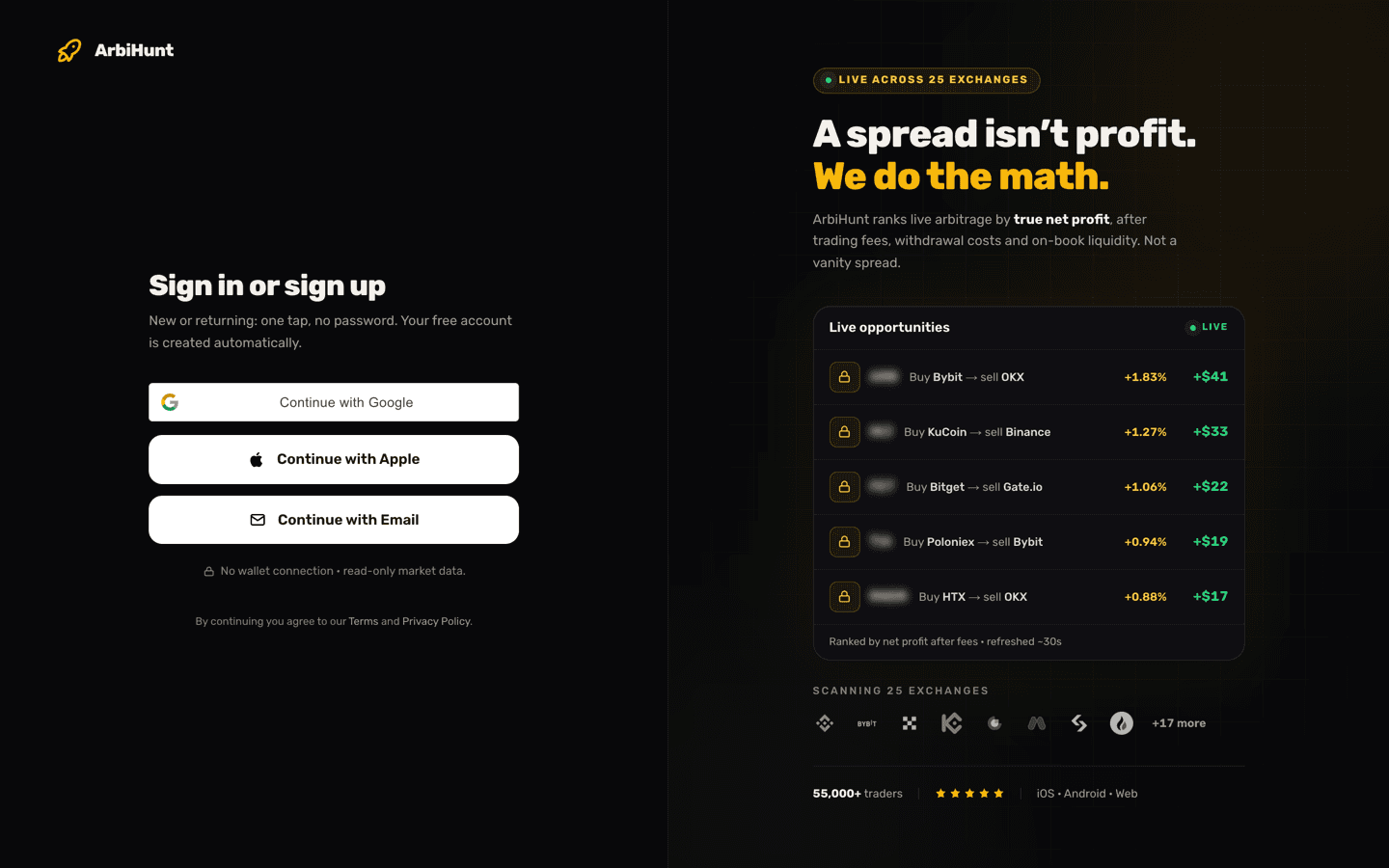
Three ways, none of which involve a password: Continue with Google, Continue with Apple, or Continue with Email, which sends a one-time code to your inbox.
Your subscription follows the account, so PRO bought on the web works in the iOS and Android apps and vice versa. If a code does not arrive or you are stuck between devices, see Account and login help.
Is ArbiHunt free?
Yes, and the free plan is a working tool rather than a demo. There is no trial clock and no card required.
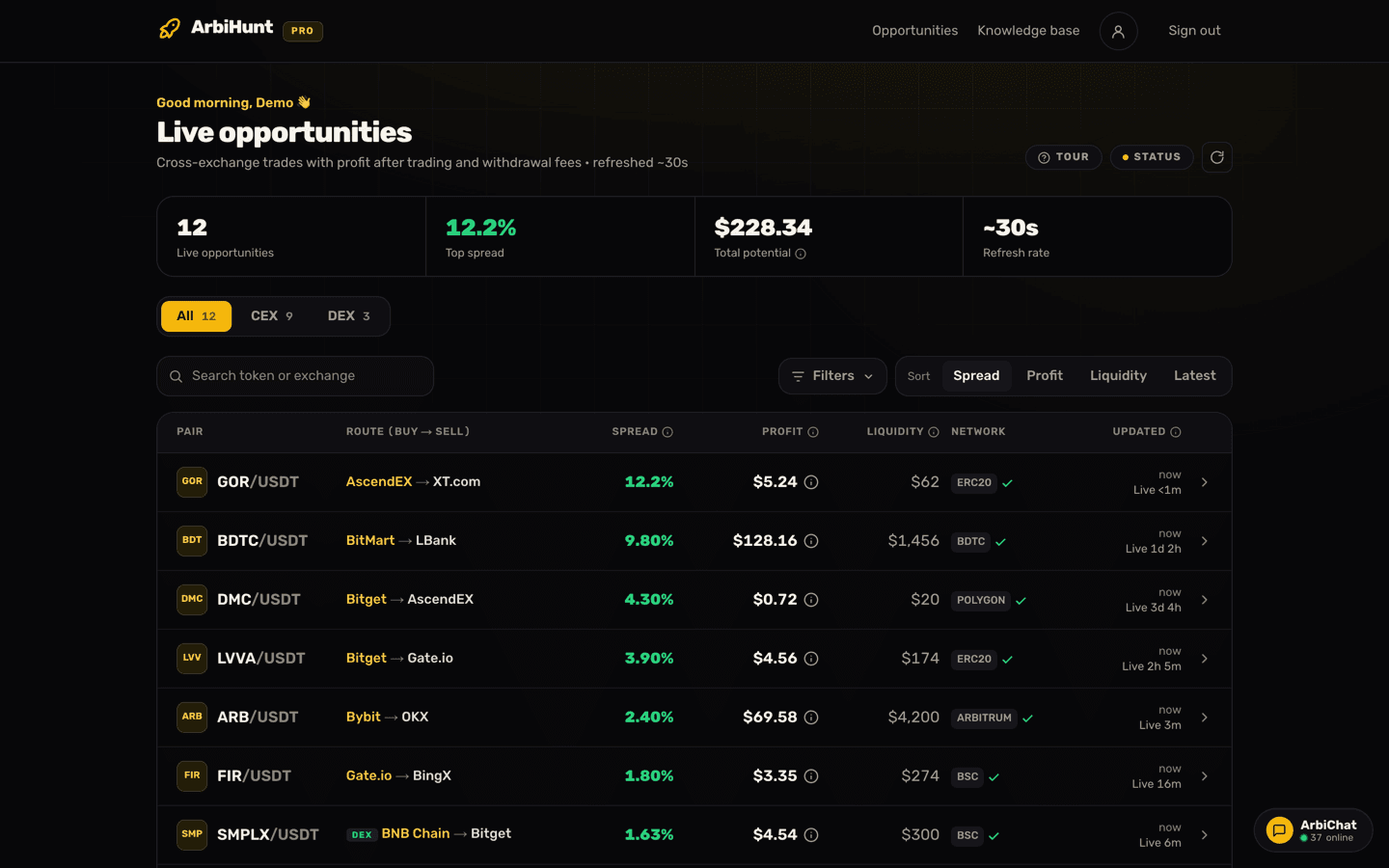
A free account gets the same live feed as PRO, refreshed roughly every 30 seconds. Every opportunity with a spread below 2% is fully open: the coin, the buy and sell exchange, the spread percentage, the dollar liquidity, the transfer network, the detail page with the withdrawal fee in coins, and the links through to both exchanges. Search works, though it cannot match the blurred 2%+ rows, because their coin name is never sent to your browser. Three of the four headline figures, Live opportunities, Top spread and Refresh rate, are visible too; only Total potential is locked.
Those rows are real trades. A 1.4% spread on a $1,000 trade is $14 of gap; both taker fees and a $2 withdrawal fee leave about $10, and that is the profit the row shows, with nothing left for you to subtract. Thin, but repeatable, and less crowded than the headline spreads.
What exactly is locked on a free account?
Five things, and you can see the shape of all of them before paying:
- Rows with a spread of 2% or more. The row still appears with a real spread, route, liquidity and network; only the token name is blurred behind a PRO badge.
- The profit in dollars, on every exchange row including the sub-2% ones, and the step-by-step calculation behind it. The spread is always visible, and on-chain (DEX) rows show their profit to everyone for now.
- Filters: minimum spread, minimum liquidity, specific exchanges, specific networks.
- Sorting by spread, profit, liquidity or latest. Free accounts see the board in its default order, ranked by spread.
- Contract addresses on both legs, on the detail page.
That is the whole list. The scan itself is identical on both plans: PRO does not find different opportunities, it removes masks. Side-by-side detail is in Free vs PRO explained.
Why is the line drawn at 2%?
Because that is roughly where a spread stops being a grind and starts being worth interrupting your day for. It is the same threshold the mobile apps use. It is measured on the spread, the raw gap between the two prices before any costs, the same percentage the board shows on every row, so a row with a 2% spread often pays well under 2% of the trade once the fees are off.
Look at the free board first
Watch the sub-2% rows for a day or two. If the locked rows look worth chasing at your position size, upgrade then.
What does PRO cost and how do I pay?
Two payment routes, one PRO.
| Plan | Price | Renews? |
|---|---|---|
| 1 Week | $8.99 | Crypto: no. Store: auto |
| 1 Month | $19.99 | Crypto: no. Store: auto |
| 1 Year | $125.99 | Crypto: no. Store: auto |
| Lifetime | $224.99 | One-time, crypto only |
The year works out to about $10.50 a month, roughly 47% off the monthly price. Lifetime is a single payment and exists only on the web.
On the web you pay in crypto, three ways. Paying from any wallet takes USDT (Tron, BNB Smart Chain or Ethereum), USDC (BNB Smart Chain or Ethereum), BTC on Bitcoin, and ETH on Ethereum; the payment is detected on-chain and activates automatically, usually within minutes of the required confirmations landing. Binance Pay and OKX Pay are also accepted but are matched by hand, which can take a few hours.
In the apps, Apple and Google in-app purchase offers the week, month and year as auto-renewing subscriptions at the same prices.
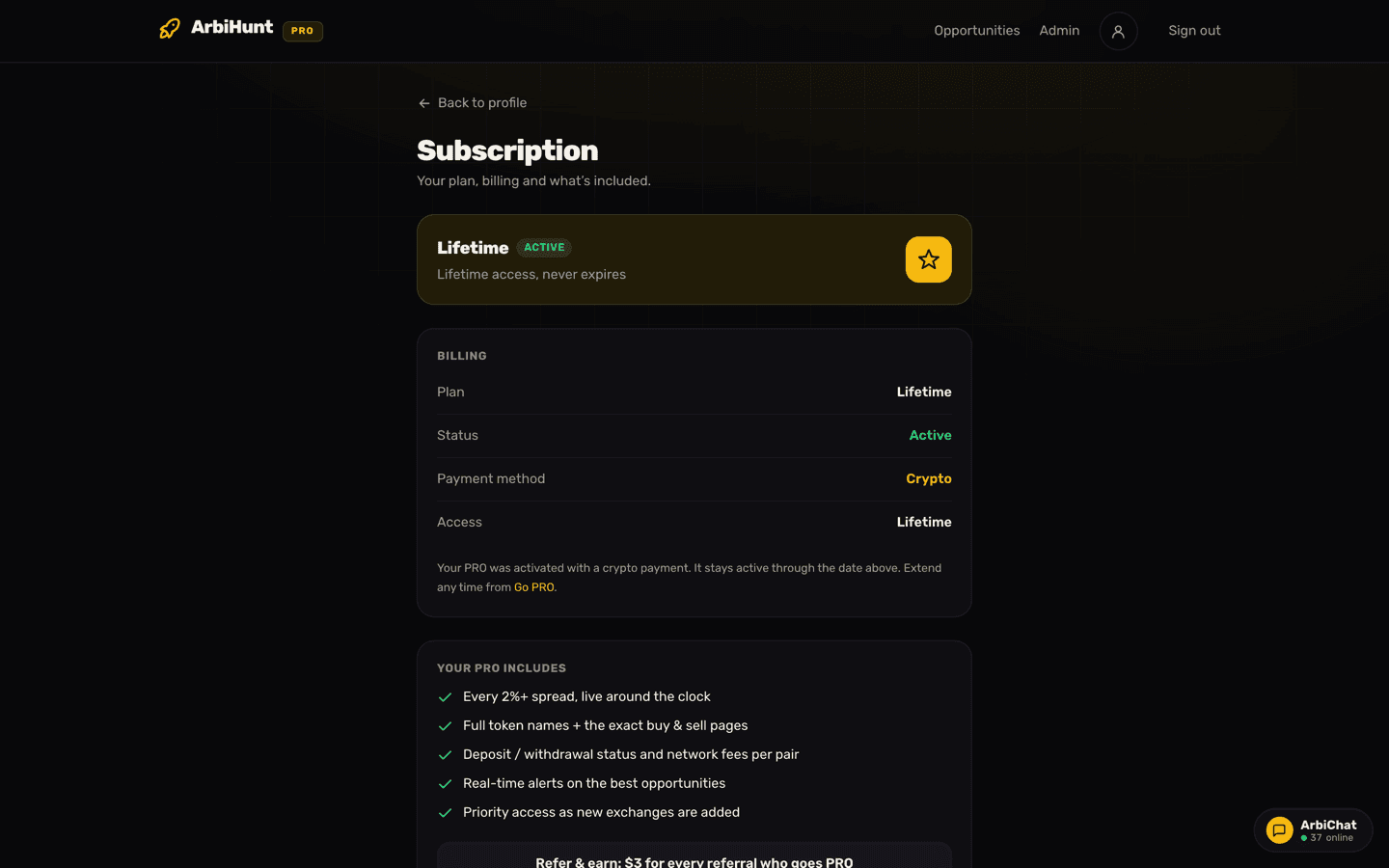
One difference worth knowing: web crypto plans do not auto-renew. PRO runs for the period you bought and then quietly reverts to free. Store subscriptions do renew and are cancelled in the App Store or Google Play, never inside ArbiHunt. Both cases are covered in Managing your PRO subscription.
Which exchanges does ArbiHunt scan?
Twenty-five: Binance, Bybit, OKX, KuCoin, Gate.io, MEXC, Bitget, HTX, Crypto.com, Bitfinex, Poloniex, BitMart, WhiteBIT, HitBTC, Phemex, AscendEX, BingX, CoinEx, DigiFinex, Bitrue, LBank, XT.com, LATOKEN, BTSE and Toobit.
The mid-size venues are there deliberately. Two top-five exchanges rarely disagree about the price of a major pair; thinner books and slower market makers are where gaps open.
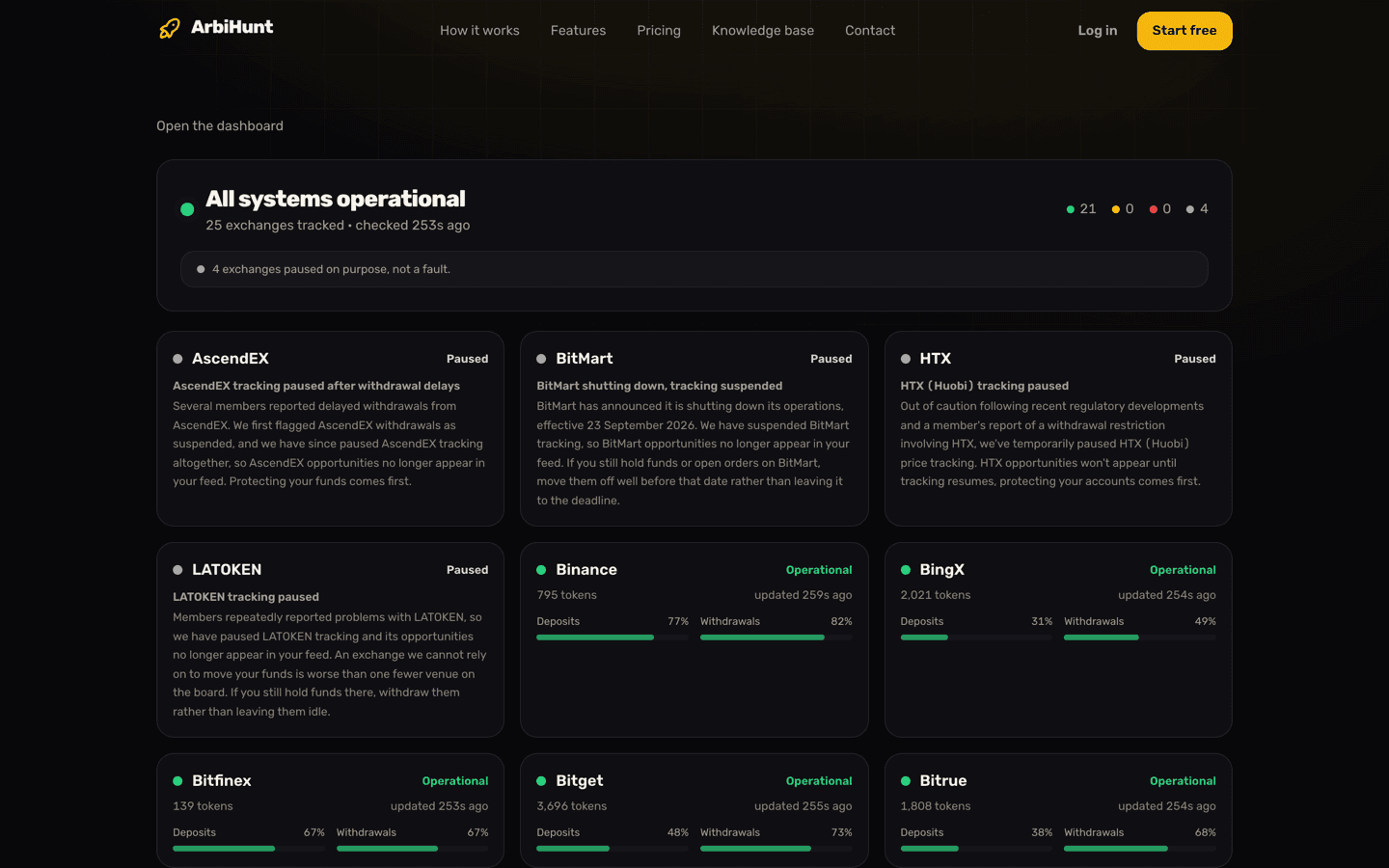
A venue can also be paused: tracking suspended on purpose, usually after withdrawal problems. Paused exchanges drop out of the feed entirely rather than showing you a spread you could not settle. The live picture, including per-exchange deposit and withdrawal health, is on the status page.
How fresh are the numbers?
Prices, fees and liquidity are pulled from each exchange on a fast loop, about every 30 seconds, and each row carries its own freshness stamp so you can see how old that specific figure is.
Treat every figure as true as of half a minute ago, and re-check price, fee and wallet status inside the exchange before funding anything.
Does the profit include the withdrawal fee?
Yes. The profit on every row is after the taker fee on both legs, on-book liquidity and the exchange withdrawal fee on the cheapest network open for withdrawals on the buy exchange and deposits on the sell exchange; the % beside it is the spread, the gap before any of those costs. The detail page lists each of those on its Costs card, and says they are already taken off. Trades that would lose money after the withdrawal fee are not listed at all. PRO members can tap the (i) beside any profit to see every step of the calculation.
Two cases are still yours to handle. If you send on a different network from the one the row names, its fee is different: every network's fee is on the detail page. And when an exchange gives no withdrawal fee we can confirm, nothing is deducted: the Costs card reads "Not published, not deducted", so check the fee on the exchange and take it off yourself. The profit is also for the trade size the books could take; on a smaller trade the withdrawal fee weighs more. Withdrawal fees explained covers how to check the fee before you commit, and the free arbitrage calculator will do the arithmetic at your size, including the breakeven spread.
Can ArbiHunt trade for me?
No, by design. ArbiHunt never connects to your exchange accounts, never asks for API keys, never touches private keys and never holds your money. There is no ArbiHunt balance to fund or lose.
It finds and ranks opportunities; you place the orders and move the coins yourself on your own exchange accounts. Anyone claiming to trade "through ArbiHunt" on your behalf is not us.
Do I need exchange accounts before I start?
Not to look: you can sign up and watch the live board with zero exchange accounts.
To trade you need verified accounts on both venues, so start KYC early, since it takes anywhere from minutes to days. Two or three of the exchanges that appear most often in your feed, each pre-funded with a modest USDT balance, is a practical setup: capital on both sides lets you skip the transfer leg and its timing risk.
Is there a mobile app?
Yes. ArbiHunt runs on iOS, Android and the web, and all three show the same feed, the same 2% line and the same numbers.
Why do I see fewer opportunities some days?
Because arbitrage is a byproduct of volatility. Gaps open when prices move fast and exchanges update at different speeds; when the market trades sideways, venues stay in sync and the board thins out. That thinning is the scanner being honest: liquidity and profitability bars are applied before a row is shown, and a trade that would lose money after the withdrawal fee is not listed, so quiet days are not padded with trades you could never profit from.
Quiet days are setup days
Finish KYC on another exchange, pre-fund your accounts, and learn the column layout in Reading the dashboard. When volatility returns, the people already set up are the ones who catch it.
How do I get help?
Message us in the app or email contact@arbihunt.com and a human replies. ArbiChat, the in-app community room, is open to free and PRO accounts alike.
No profit guarantees
Nothing here is financial advice. Spreads close in seconds, transfers stall, and the same ticker can be an entirely different token on two exchanges. Verify the contract address, the network and wallet status on the exchange before every trade.