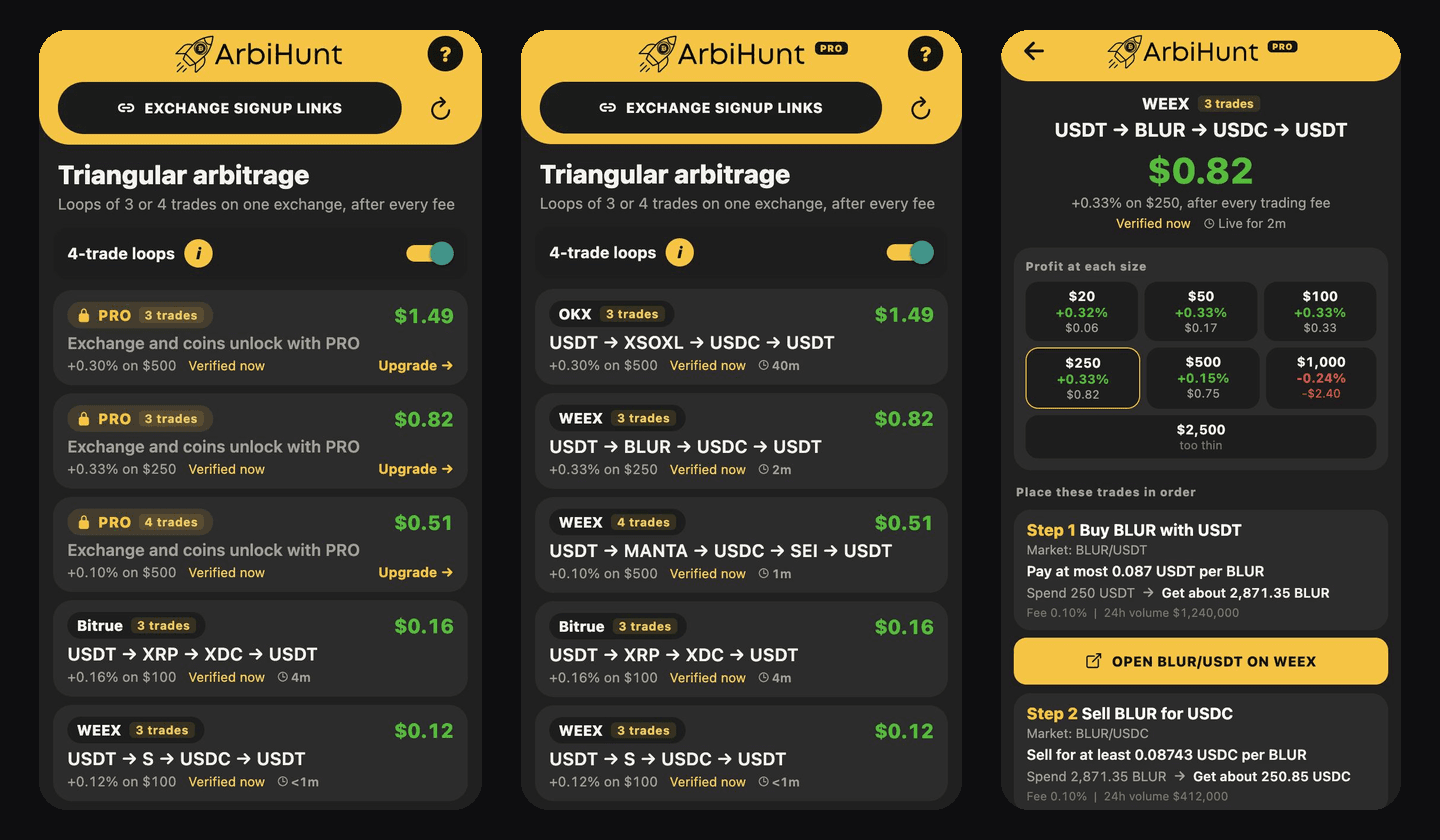
A triangular loop never leaves one exchange. You trade around a circle of markets, for example USDT into BLUR, BLUR into USDC and USDC back into USDT, and if the three prices disagree you end with more USDT than you started with. Nothing is withdrawn, so there is no withdrawal fee, no network to match and no transfer to wait for.
The Triangular tab in the ArbiHunt app lists those loops as they appear, priced on the real order books after every trading fee. This guide covers how the loops are found, how to read the tab and a loop's screen, what free and PRO accounts see, and how to place the trades. If you are new to the idea itself, types of crypto arbitrage explains where triangular sits among the strategies.
Triangular is in the iOS and Android app, next to the Arbitrage tab. If you do not see it, close the app completely and open it again so it loads the latest update, or update the app from the App Store or Google Play if it is an older version. The website dashboard does not show loops yet.
How ArbiHunt finds a loop
About every 10 to 60 seconds, depending on the exchange, ArbiHunt reads the spot markets of every exchange it tracks and looks for circles of three or four markets whose prices do not line up. A loop is only listed after it passes every one of these checks:
- Priced on the order book, not the last price. Each trade is walked through the real bids and asks at sizes from $20 to $10,000, so a price that only holds for $3 is not mistaken for a $1,000 trade.
- After each market's own taker fee. Where the exchange publishes per-market fees (Binance, OKX, Bybit, KuCoin, Gate.io, MEXC, WEEX and others) each trade uses its own fee; elsewhere the exchange's standard taker fee.
- Every market in it is actually traded. A market with less than $1,000 of volume in the last 24 hours drops the loop: a quote nobody fills is not an opportunity.
- It pays at least 2 cents at its best size.
- It is still there five seconds later. The order books are read a second time before the loop is published, so a price that flickered for a moment never reaches the list.
Once listed, each loop is priced again about every 30 seconds. When it stops paying it leaves the list at once.
Small numbers, honestly
Loops are small. In a 13-hour test across every exchange in October 2026, the typical loop's best profit was about $0.46, half of them made between $0.14 and $1.39, and most were on WEEX and OKX. They are also short-lived: roughly one in four was still there two minutes later, and about one in seventeen after ten minutes. ArbiHunt shows them because they are real, not because they are large.
Reading the Triangular tab
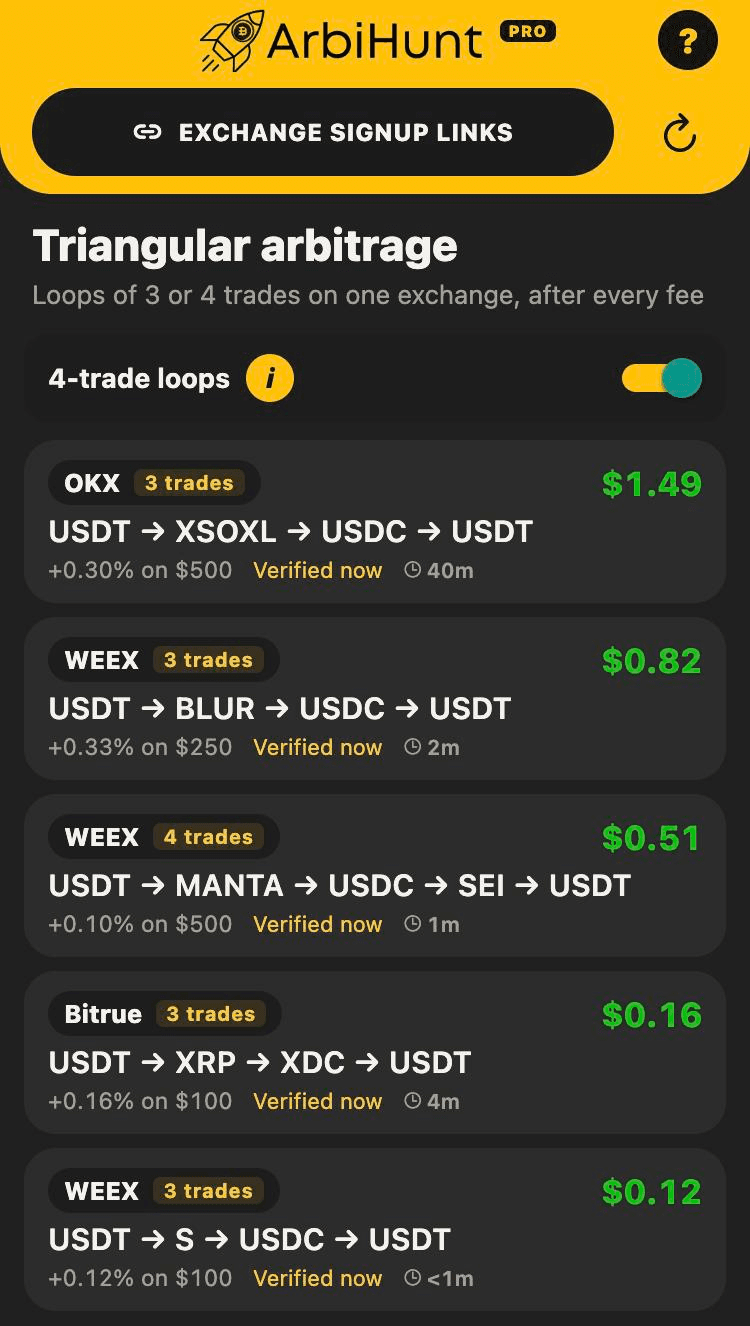
Each card is one loop:
- The exchange and a 3 trades or 4 trades badge. Every trade in a loop happens on that one exchange.
- The loop itself, written from the coin you start with back to the same coin:
USDT → BLUR → USDC → USDT. ArbiHunt starts loops in the most cash-like currency it can (USDT, then USDC and other dollars), since that is what you are most likely to hold. - The profit in dollars, after every trading fee, at the loop's best size.
- The percentage and the size, such as
+0.33% on $250. The size is the one that makes the most dollars, not the largest one that fills. - Verified, how long ago the order books were last read, and the clock, how long the loop has been live.
The list refreshes every 15 seconds while it is open, and the refresh button at the top asks at once. The badge on the tab counts the loops live right now.
3-trade and 4-trade loops
A 3-trade loop is the classic triangle: USDT → BLUR → USDC → USDT. A 4-trade loop uses two coins that each trade against the same two currencies, for example USDT → MANTA → USDC → SEI → USDT. Four-trade loops turn up more often, but there is one more order to place, so prices have one more step in which to move.
Both are shown by default. The 4-trade loops switch at the top hides the 4-trade ones; the app remembers your choice on that phone. The (i) beside it explains the difference in the app too.
Free and PRO loops
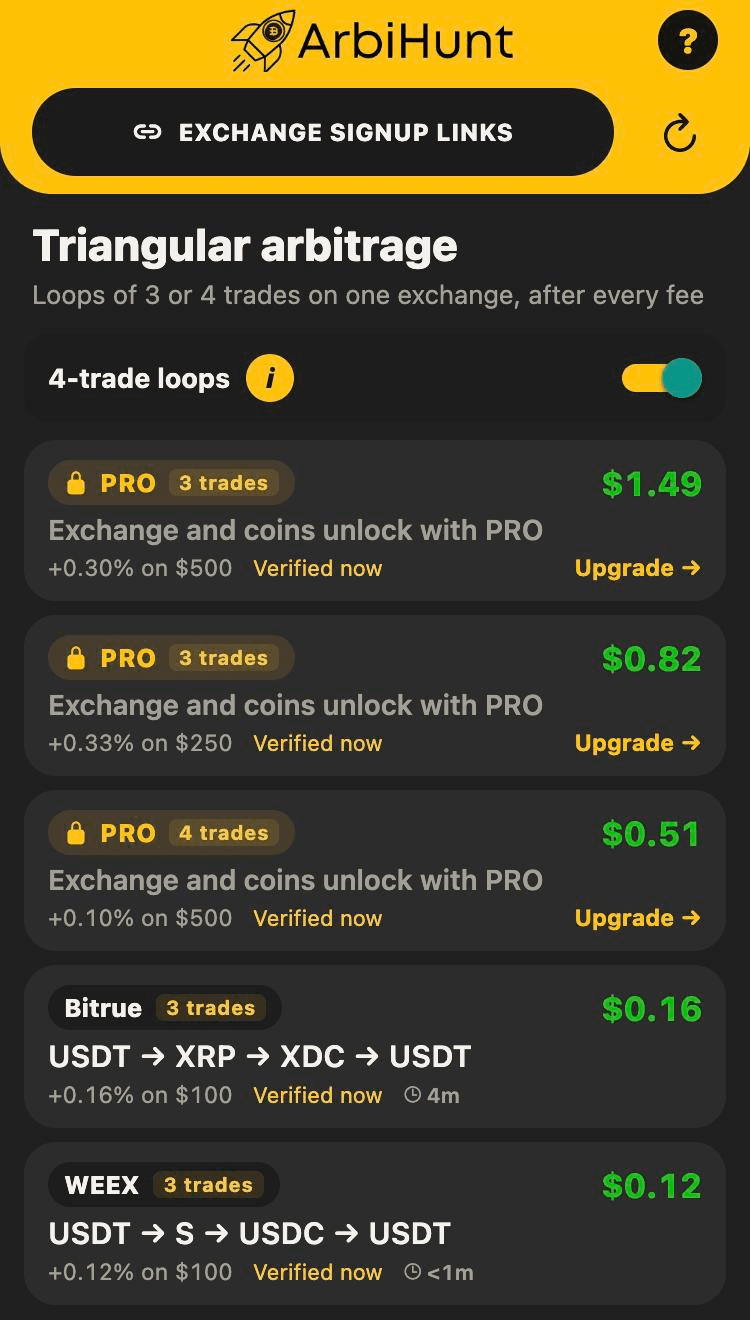
One number draws the line: $0.30. A loop that makes under $0.30 is free: everyone sees its exchange, its coins and every trade. A loop that makes $0.30 or more is PRO.
On a free account a PRO loop still appears, as a locked card. Its profit, its percentage, its size and its trade count stay readable; the exchange and the coins do not, and tapping the card opens the PRO plans. Nothing about the loop is in the app until you have PRO, so there is nothing to work out from the card.
The line follows the loop's current profit, checked each time the loop is priced again, about every 30 seconds. So a loop can cross it while it is live: a PRO loop that shrinks under $0.30 opens for everyone, and a free loop that grows to $0.30 or more locks on a free account, even if you have it open. If you upgrade, the locked loops open within seconds. Free vs PRO covers what else PRO changes.
A loop's screen, step by step
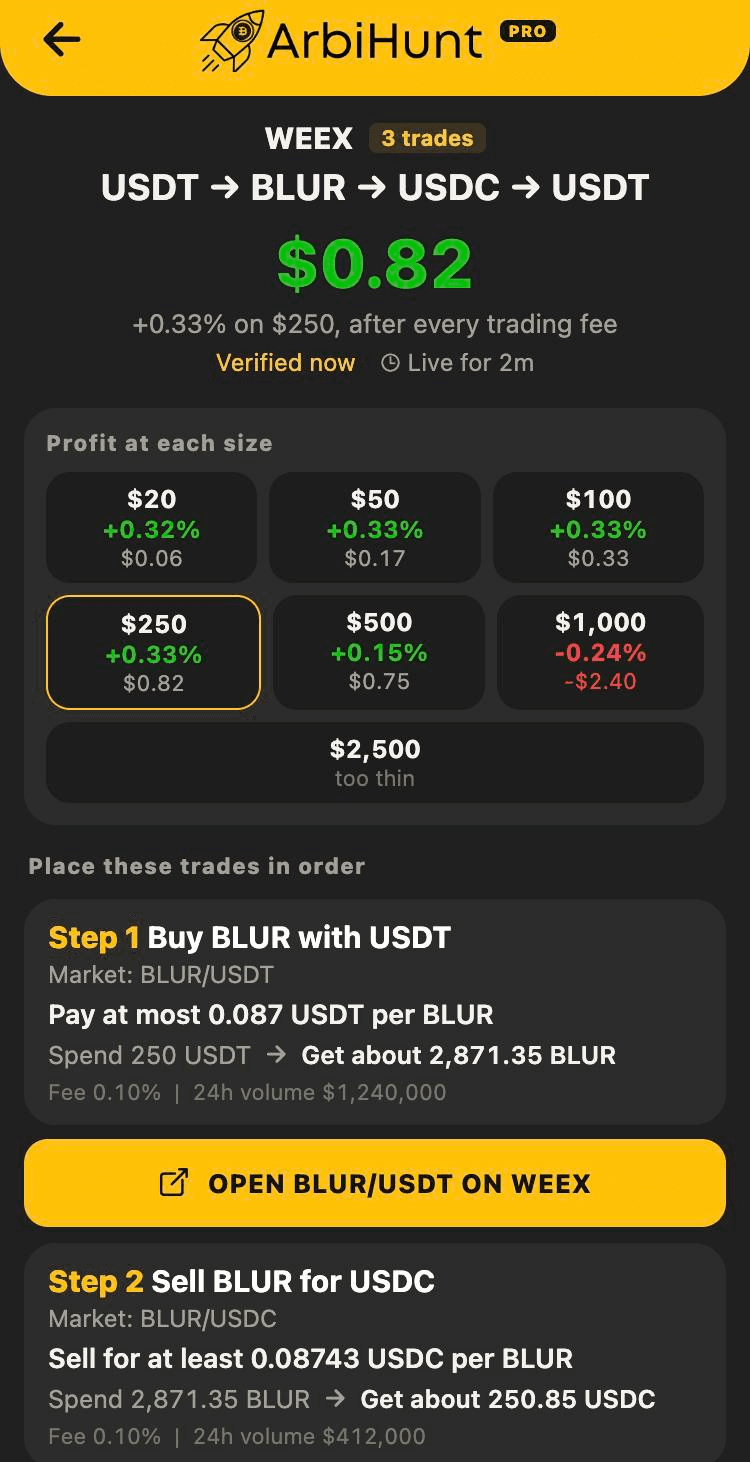
Profit at each size shows the loop walked at every size from $20 up. Profit per dollar falls as the size grows, because bigger orders reach deeper into the book at worse prices: here $250 makes the most dollars ($0.82), $500 makes less ($0.75), $1,000 loses money, and at $2,500 the books cannot fill the loop at all. The highlighted size is the one the headline uses.
Place these trades in order lists every step for that size:
- What to do and on which market, such as Buy BLUR with USDT on
BLUR/USDT. - The price limit. Pay at most on a buy, sell for at least on a sell: the worst price the order book reached for this size. Set your order at that price or better.
- Spend and get. How much goes in and roughly how much comes out after the fee. Each step spends what the step before it gave you.
- The fee and the market's 24-hour volume.
- An Open button that takes you to that market on the exchange.
Below the steps, a short note repeats the risks that follow.
When a loop closes while you are on it
A loop that stops paying leaves the list at once, but it does not vanish from the screen you have open. For two more minutes that screen keeps updating every 10 seconds with live prices, losses included, under a red banner that counts down, so if you are halfway through you can still see what finishing or unwinding is worth. If the loop starts paying again in that time, it simply returns to the list.
How to trade a loop
- Hold the starting coin on that exchange. Most loops start in USDT or USDC. Triangular never moves money between exchanges, so the coin has to be there already.
- Open the loop and compare it with the exchange. Verified says when ArbiHunt last confirmed the prices (about every 30 seconds, and the screen updates every 10), but the order book on the exchange is the final word: check its price against the step's limit before you place anything.
- Place step 1 at the price shown or better, for the amount shown or less. A limit order at the shown price fills at once against the book, at the taker fee the profit already assumes.
- Place each next step straight away, with what the previous step gave you. Speed is the whole game: every second between steps is a second in which the next price can move.
- Stop if a step no longer fills at its price. If you stop part-way, you hold the coin from the step before, and its price can move either way. Some traders unwind straight back to the start; some hold.
The profit assumes everything fills at the shown prices
The dollar figure is what the order books paid at the moment they were read, after the standard taker fee on each trade. A step that fills worse, only partly fills, or meets a minimum order size you are under changes the result. Your fees may be lower than the exchange's standard rate (a VIP tier or a token discount), which helps. None of this is financial advice, and every trade can lose money.
Things worth knowing
- Most loops are on a handful of exchanges. In testing, WEEX produced most of them and OKX most of the rest, on altcoins that trade against both USDT and USDC. Major pairs like BTC/ETH/USDT on Binance are closed by bots in milliseconds and almost never appear.
- Some loops run through tokenised stocks, such as XSOXL on OKX, a token that tracks a leveraged US ETF. Not every account and country can trade them, and they trade thinly at weekends, when the stock market is closed.
- You need an account on the exchange. The Exchange signup links button at the top of the tab lists every exchange ArbiHunt tracks, with sign-up links.
- ArbiHunt is an information tool. It never connects to your exchange account, never asks for API keys and never places a trade. You trade on the exchange yourself.
See every loop
PRO opens every triangular loop, including the bigger ones, with the exchange, the coins and every trade. It also opens 2%+ spreads, dollar profit and filters on the Arbitrage tab.
See it live
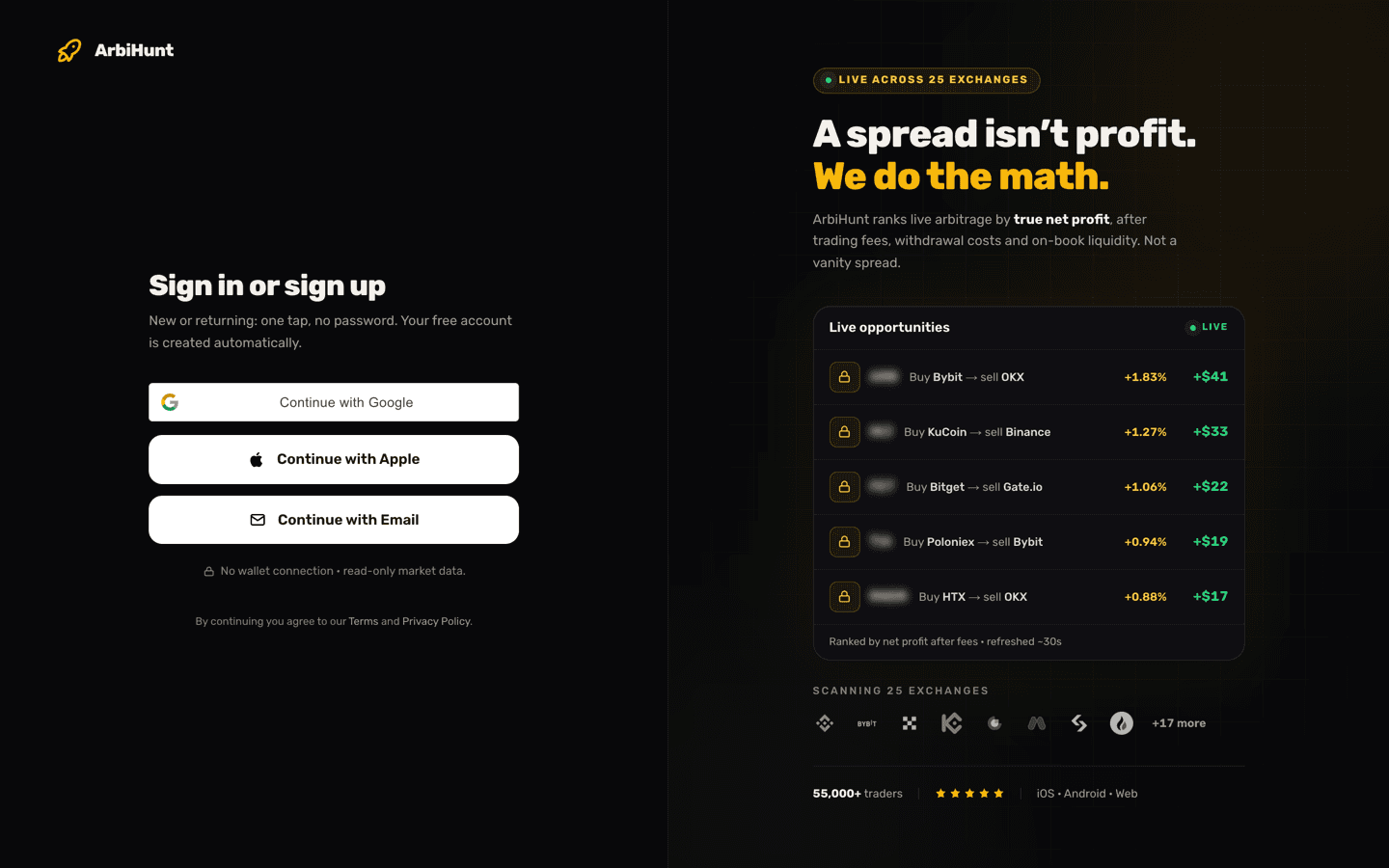
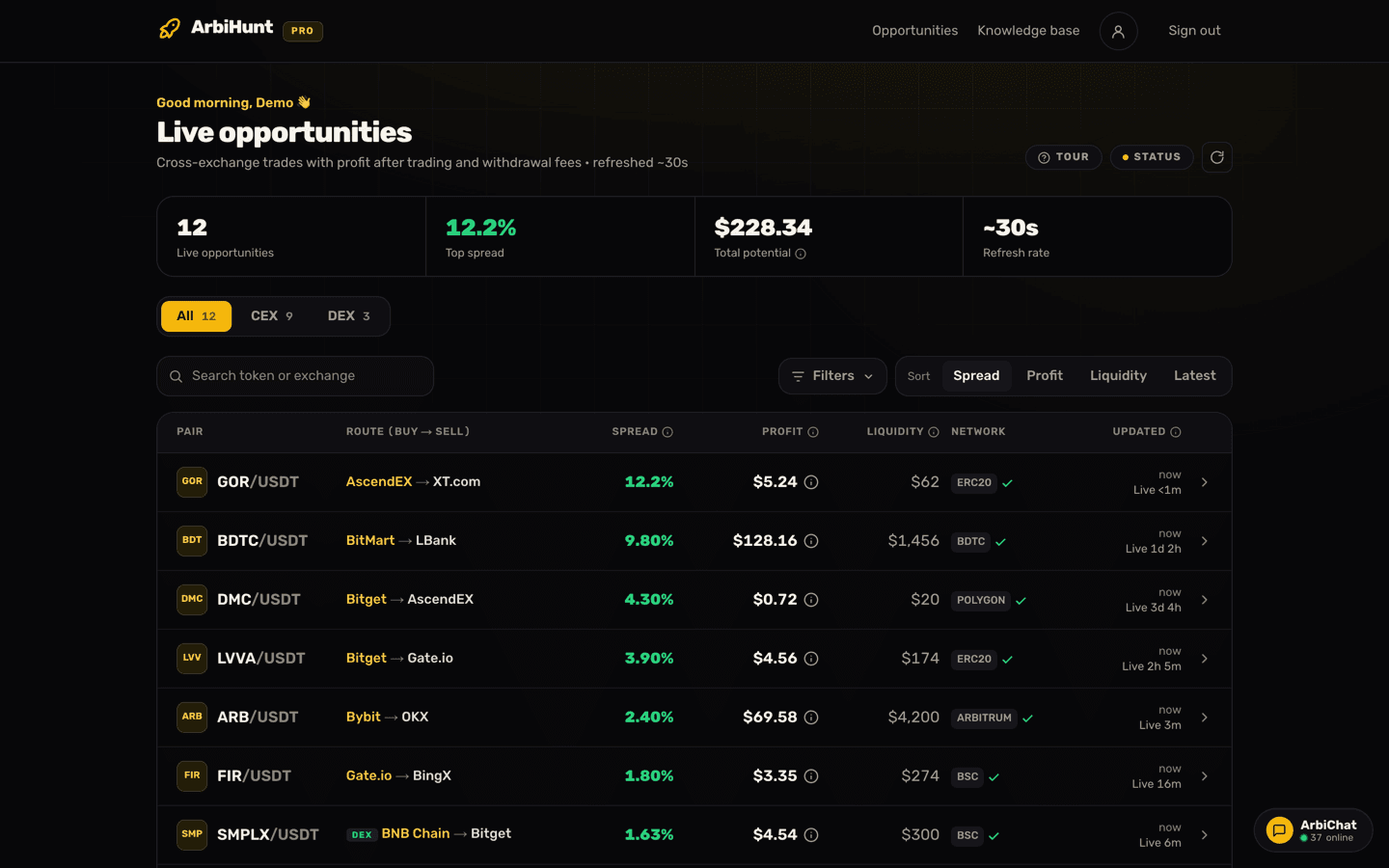
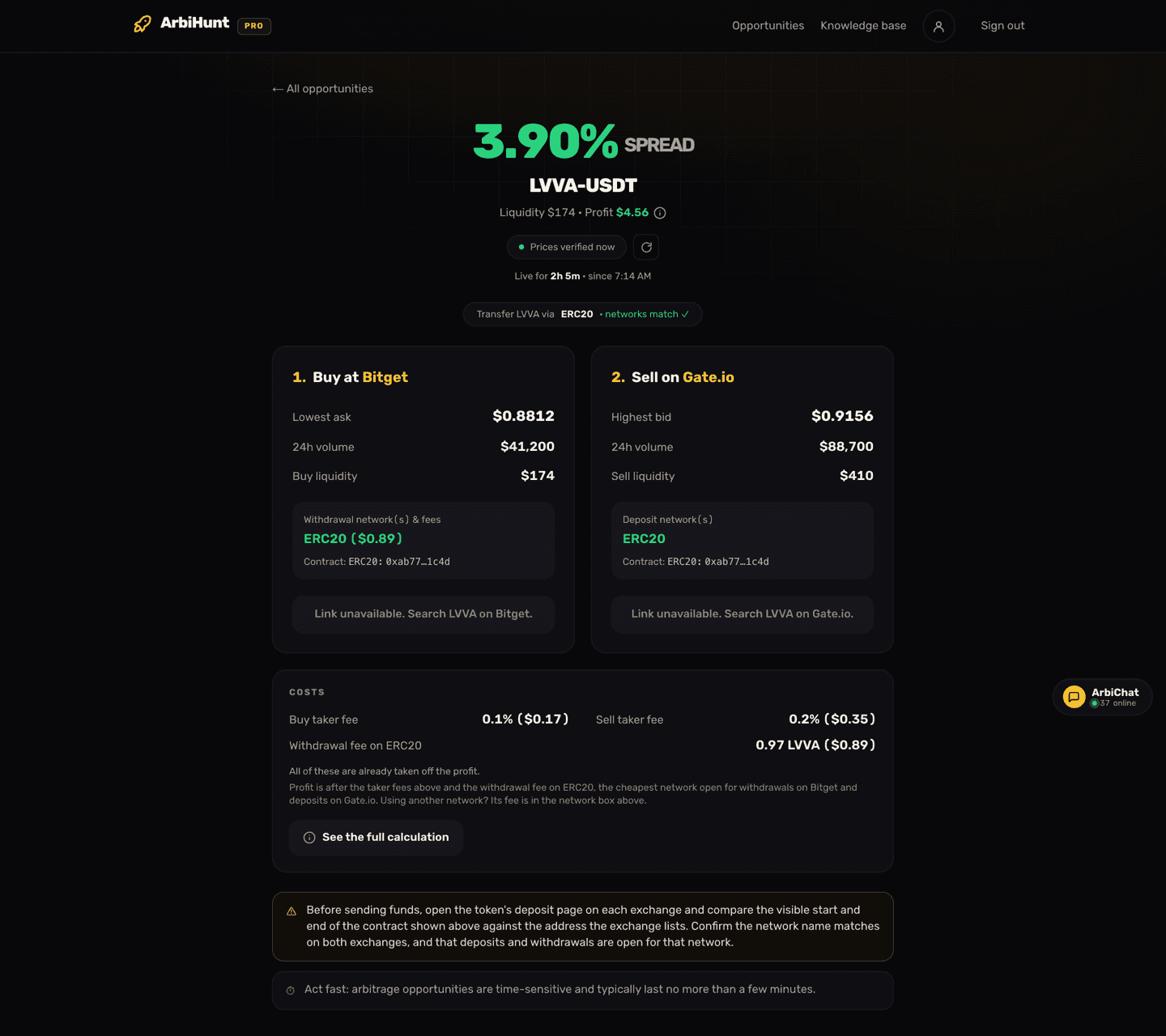
ArbiHunt scans 29 exchanges in real time and ranks every spread by true net profit, after fees, withdrawals and live liquidity.