It is the question members ask most once they start trading: limit or market? For arbitrage the answer is neither in its plain form. Use a limit order priced to fill straight away, at the worst price you are willing to accept. It fills as fast as a market order, but it can never fill worse than the price you set.
The rest of this page shows why, and how to pick that price from what ArbiHunt shows you.
The two order types in one minute
- A market order says "fill me now, at whatever it takes." It takes the cheapest offer in the order book, and if that is not enough, the next, and the next. You always get filled; you do not know the price until it is done.
- A limit order says "fill me at this price or better." If there are offers at your price or better, it fills against them straight away. If there are not, it waits in the book until someone trades against it, or until you cancel it.
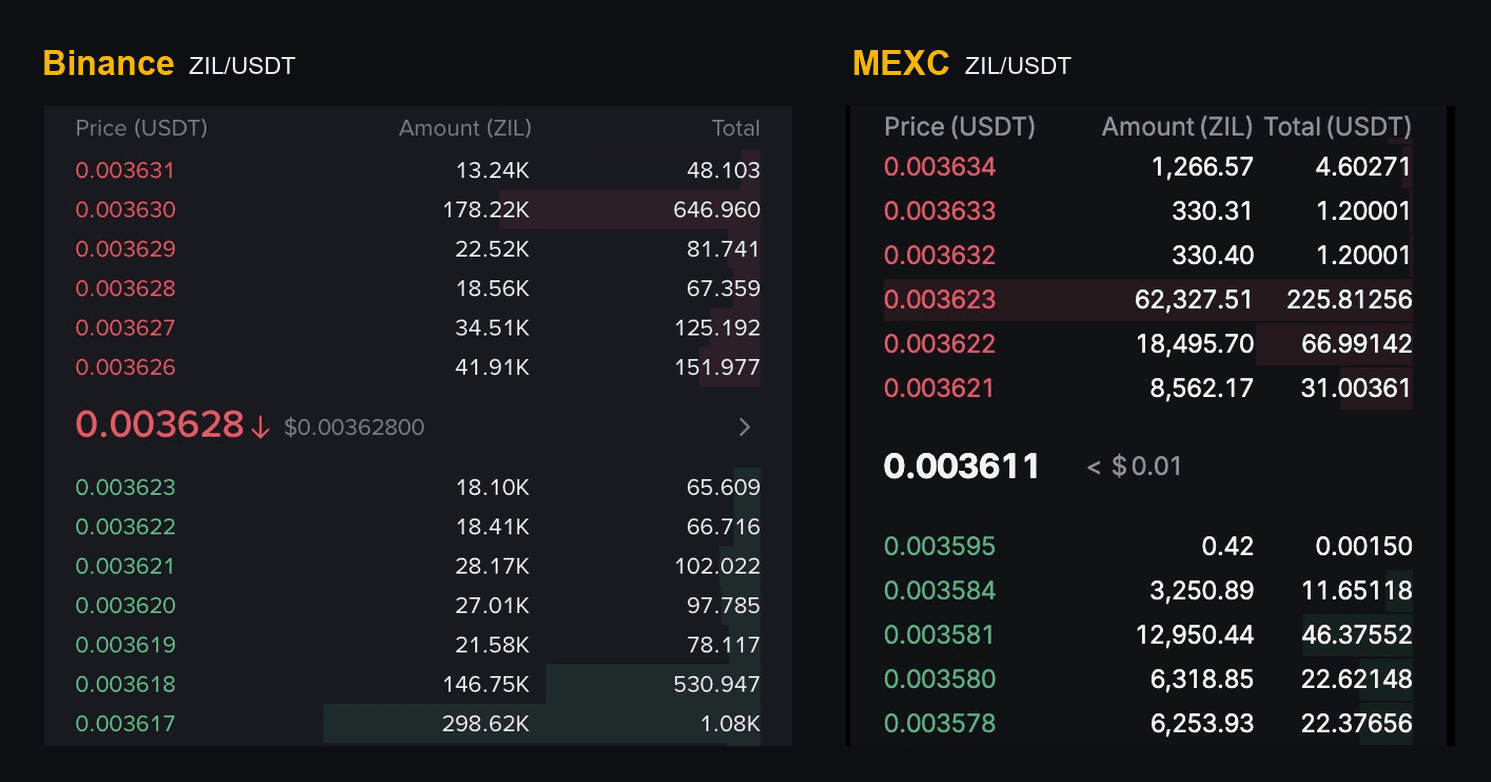
How to read a crypto order book shows both on two real books, if the terms are new.
Why a plain market order is risky in arbitrage
Arbitrage gaps live on small coins, and small coins have thin order books. A market order on a thin book keeps buying up the ask side until it is full, and nothing stops it if the cheap offers are gone by the time it arrives.
That happens more than you would think. You are not the only one who saw the gap. If another trader takes the cheap offers a second before you, your market order fills on the expensive ones behind them, and the gap you were trading is spent on your own fill. The same is true on the sell side: bids can be cancelled as you arrive, and a market sell keeps going down the book to whoever is left.
Some exchanges stop a market order that moves the price too far, but not all, and not by the same amount. It is not something to rely on.
Why a waiting limit order is wrong too
The opposite mistake is a limit buy below the current best offer, hoping to save a little. It joins the queue and waits. For a long-term purchase that is fine. For arbitrage it fails in two ways:
- The gap closes while you wait. Arbitrage gaps are short: about half of the ones ArbiHunt lists are gone within two minutes. An order that has not filled by then has missed the trade.
- It fills at the worst moment. A waiting buy tends to fill when sellers are pushing the price down to it, which is usually the moment the gap is closing anyway.
There is a fee angle as well. An order that waits in the book pays the maker fee, and one that fills at once pays the taker fee. ArbiHunt's profit already assumes the taker fee on both sides, so you do not need the maker rate for the numbers to work. Maker vs taker fees covers when posting can make sense.
What to use: a limit order that fills now
Set a limit buy at, or a little above, the current lowest ask, high enough to cover the amount you want. It matches the offers that are there right now, like a market order. If the cheap offers vanish before it arrives, it stops at your price instead of chasing the book. Whatever is left unfilled waits in the book, and you cancel it.
On the sell side it is the mirror image: a limit sell at, or a little below, the highest bid, low enough to cover your coins.
Picking the price
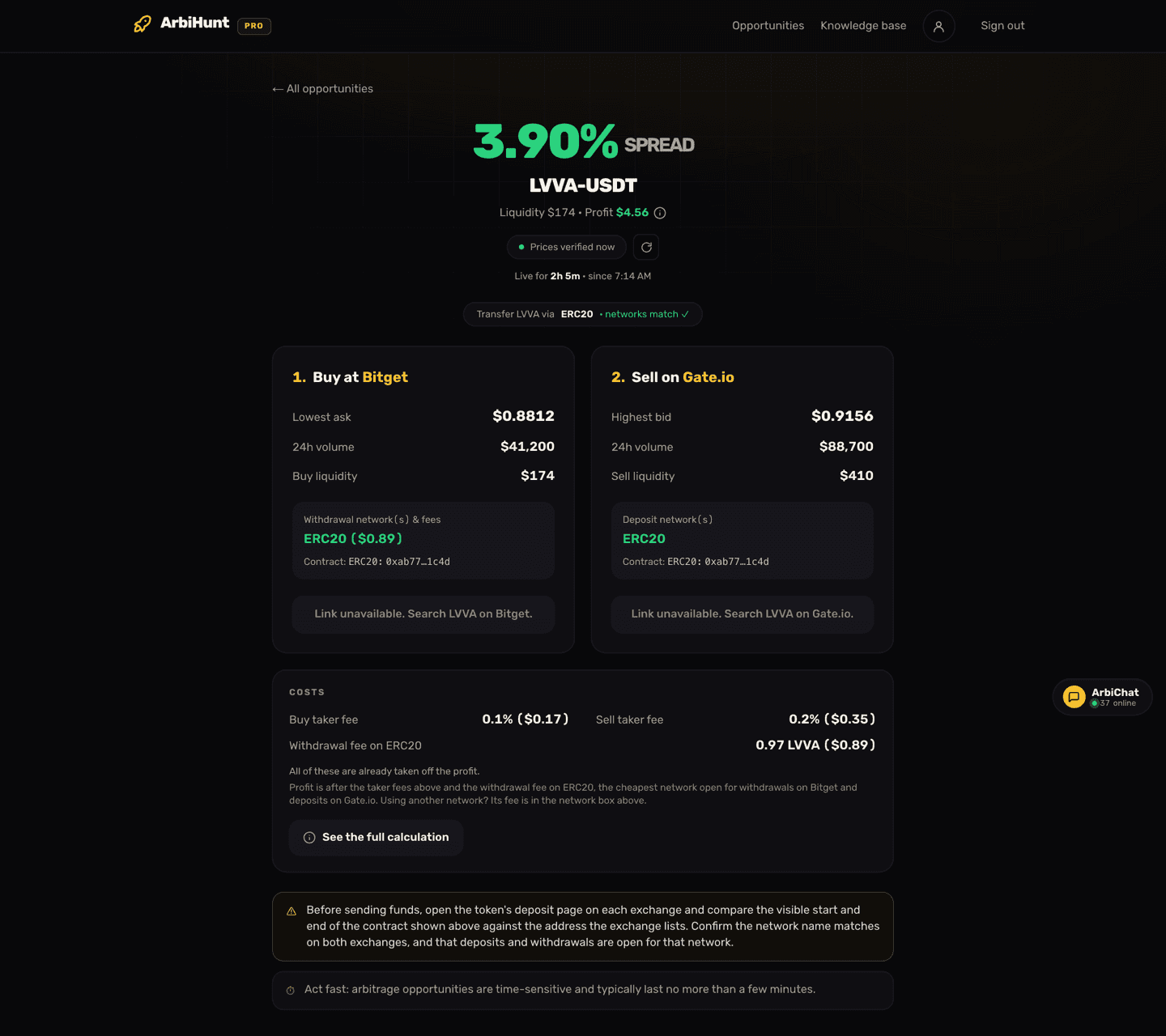
Say the trade page shows a buy for $250 of a coin, and the asks on the buy exchange look like this:
| Ask price | Size at that price |
|---|---|
| 0.4400 | $100 |
| 0.4410 | $90 |
| 0.4425 | $120 |
| 0.4460 | $300 |
Your $250 needs the first three rows: $100 at 0.4400, $90 at 0.4410 and the last $60 at 0.4425. So:
- A limit buy at 0.4425 for $250 fills all of it now, at an average of about 0.4410. That is close to the Avg buy price ArbiHunt shows for this size, because ArbiHunt works it out the same way, row by row.
- If someone takes the 0.4400 row first, your limit fills $90 at 0.4410 and $120 at 0.4425, then stops. The last $40 waits at 0.4425, and you cancel it. A market order in the same moment would have bought that $40 at 0.4460.
The practical rule: add up the sizes on the ask side until they cover your amount, and set your limit at the price of the row where you stop. Before you place it, check that the trade still makes money at that price.
Use ArbiHunt's numbers as the guide
The trade page shows the average buy and sell prices for the trade size under Capital. Those averages already walk the order books row by row. If the book has moved and your limit would have to sit well above the average buy price (or well below the average sell price), the gap is shrinking: re-check the profit before you buy.
Partial fills
A limit order that fills only partly is not stuck; it did its job. You now hold some of the coin. Cancel the rest, then decide whether to carry on with the smaller amount or stop. Do not raise the limit again and again to chase the price: that is a market order in slow motion.
If you are moving coins between exchanges, remember that the withdrawal fee does not shrink with a smaller trade. Withdrawal fees explained shows how fast a small trade stops paying.
On a DEX there is no order book
A swap on a decentralized exchange works differently: you trade against a pool, not against orders. The equivalent of a limit price is the max slippage setting in the swap: the swap fails rather than fill worse than that. Set it below the trade's profit as a share of its size. Setting up a wallet for DEX trades walks through it.
On Triangular, each step on the loop's screen already shows a limit price for that trade, for the same reason.
Checklist
- Open the order book on both exchanges.
- Add up the ask side until it covers your buy, and the bid side until it covers your sell.
- Set limit prices at those rows, and check the trade still makes money there.
- Place the buy, then the sell, as limit orders.
- Cancel anything left unfilled. Never chase.
Not financial advice
This explains how order types behave. It is not a recommendation to trade any coin or route. Prices move in seconds and an order that fills is never guaranteed to be profitable.
See it live
ArbiHunt scans 29 exchanges in real time and ranks every spread by true net profit, after fees, withdrawals and live liquidity.