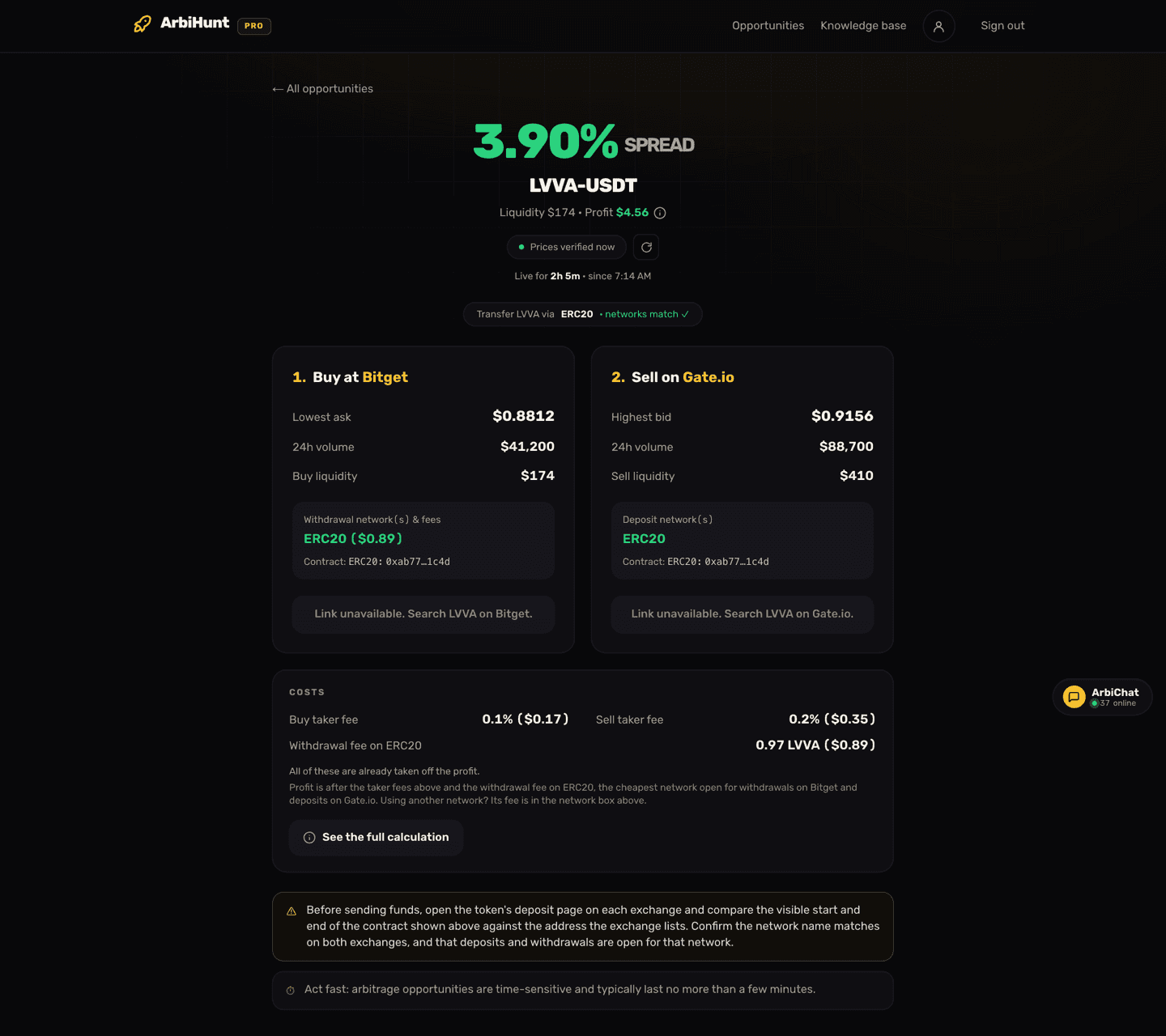
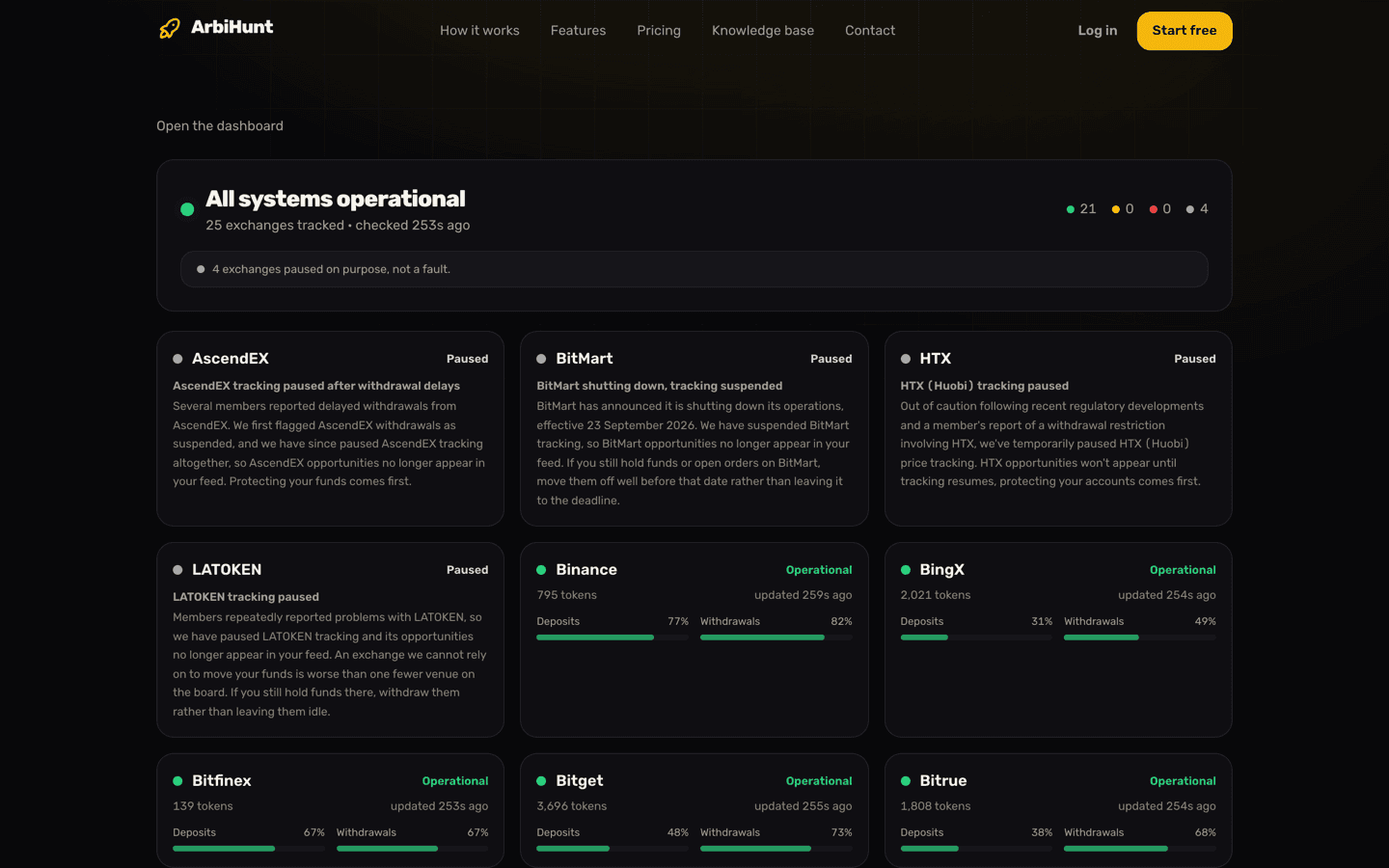
A trade can vanish from the board while you are looking at it. And sometimes you can see a price gap between two exchanges yourself that ArbiHunt never lists at all. Both have reasons, and the reason tells you whether to keep going with a trade you have started.
Why does a trade leave the board?
There are three reasons, and the first is by far the most common.
- The gap closed, or it no longer pays after fees. Prices moved, somebody bought the cheap coins first, or the depth behind the price was pulled. Every row is checked again about every 30 seconds, and a trade that would no longer make money after both taker fees and the withdrawal fee comes off. Most trades are short: about half are gone within two minutes of appearing.
- The transfer closed. The buy exchange stopped withdrawals of that coin on the network, or the sell exchange stopped deposits. A trade is only listed while there is one network open for withdrawal on one side and deposit on the other, so when the last one shuts, the row goes.
- We took it off on purpose. The route is blocked, the exchange is paused, the market cannot be traded, or the coin is one we do not track. Each of these is explained below.
The first two happen on their own, from live exchange data. The third is a decision our team made after something went wrong for members, and it is listed here so you can see it.
What is the "No longer profitable" window?
When an exchange-to-exchange trade leaves the board because the gap closed, its trade page stays open for 5 minutes. During that time it keeps showing live prices, losses included, under a red No longer profitable note with a countdown. Then it closes.
That window is for the member who is halfway through. If you have already bought and your coins are on the way, you can still see where both prices went, and whether selling now would lose money or just make less. In the app, a trade you opened also stays on your screen with its last prices after the gap closes, so you do not lose the network to use or the coin's details mid-transfer.
Two exceptions:
- DEX trades close at once. The app keeps the last numbers on screen under a "no longer listed" note; the website closes the page.
- Triangular loops have their own, shorter window of about 2 minutes. See triangular arbitrage in ArbiHunt.
A trade we take off on purpose, because its route is blocked or its exchange is paused, does not get the 5 minutes. It goes straight away, because those are routes we do not want anyone to start.
Which routes are blocked?
We block a route, one exchange to another, not a whole exchange. Everything else on that exchange stays on the board, and the next best route for the same coin is listed instead.
| Route | Blocked since | Why |
|---|---|---|
| MEXC to KuCoin, OKX, Gate.io or Binance | 9 Nov 2026 | Members reported deposits sent from MEXC being held for review at the receiving exchange, and public reports said the same |
| KuCoin, Binance or OKX to MEXC | 15 Nov 2026 | A member's KuCoin withdrawal to MEXC was declined "due to compliance requirements". Binance and OKX were added as a precaution |
This followed a US Treasury (FinCEN) order concerning MEXC in November 2026. MEXC routes to and from the other exchanges, for example Gate.io to MEXC, are still listed. If members start reporting held transfers on another route, we block that one too, and this table is updated.
Blocked on ArbiHunt is not blocked at the exchange
A blocked route means we stopped listing it. Nothing stops you from sending coins that way yourself, and a transfer you started before the block is not affected by it. If you send on one of these routes anyway, expect the receiving exchange to hold the deposit and ask questions.
Paused exchanges
A paused exchange is one we stopped tracking on purpose, usually after withdrawal problems members could not get past. A paused exchange drops off the board completely: no rows, no alerts. The exchange status page lists every paused exchange with the reason, and shows deposit and withdrawal health for the ones still tracked.
Triangular has its own list, because a loop never leaves the exchange and the risks are different. At the moment WEEX, MEXC and Bitrue are paused on Triangular, so their loops do not show, while their exchange-to-exchange routes can still appear on the main board.
Markets you cannot trade
Some exchanges keep publishing prices for a market after trading on it has stopped: a coin being delisted, or a market switched to sell-only. The price can look far out of line, and the gap looks real, but there is no way to buy.
Since 9 November ArbiHunt reads each exchange's market list for these signals and skips them. On XT, that is a market marked as not tradable. On Bitget, it is a market with a delisting date set. The list is read again every 10 minutes, so a market that reopens comes back.
Coins we leave out
A few kinds of coin are never listed, even when two exchanges show different prices for them:
- Tokenized stocks. Binance's stock tokens (names ending in "(bStocks)") since 28 September, and Ondo's stock tokens, such as TLTON, since 2 November. One of these tokens can be worth slightly more than one share, because dividends are added as extra shares, and exchanges disagree on whether they quote the price per token or per share. The "gap" between them is a difference in units, not in price, and a trade on it delivers fewer tokens than it seems to.
- Leveraged tokens, such as names ending in 3L or 3S. They rebalance on their own and are not the same asset from one exchange to the next.
- Same ticker, different token. When both exchanges publish contract addresses for a coin and none of them match, the two listings are different tokens, and the trade is not shown. Choosing the right network explains that check.
- Coins we hide by hand. When members report that a coin cannot be withdrawn, even though the exchange says withdrawals are open, our team hides it until transfers work again.
Your coins are already in transit. What now?
The trade has become a position in that coin, and you have three options: sell when it arrives, wait, or send it back. Each has a cost, and none is right every time. Some things help whichever you choose:
- Open the trade page while its window is running. It shows where both prices are now, so you can see what selling on arrival would mean.
- Do not send a second transfer to "push" the first one. It does not speed anything up, and it doubles what is in flight.
- If the receiving exchange holds your deposit for review, contact its support from inside your account, with the transaction hash (TXID), the network and the exchange you sent from. Only the exchange can release it.
- If the sending exchange shows the withdrawal as "processing" for a long time, check its announcements page for wallet maintenance, then contact its support. Your coins have not left until a transaction hash appears.
- Tell us in ArbiChat or at contact@arbihunt.com. Member reports are how routes get blocked and coins get hidden, often within the hour.
Deposit and withdrawal times covers what a normal transfer looks like, so you can tell slow from stuck.
Check before you buy, every time
Before the buy, open the withdrawal page for that coin on the buy exchange and the deposit page on the sell exchange, and check the network the trade names is open on both. ArbiHunt reads that status from the exchanges, and it is usually right, but the exchange's own page is the final word. Nothing here is financial advice.
See it live
ArbiHunt scans 29 exchanges in real time and ranks every spread by true net profit, after fees, withdrawals and live liquidity.